
TL;DR
Choose Shadow if you work on a Mac and want core meeting capture, transcription, speaker diarization, screenshots, and editable Markdown to begin and remain local by default. Shadow is strongest when the record should preserve what people said, what was visible, and what a configurable Meeting Skill should produce next.
Choose Read AI if you want a cloud meeting workspace with reports, Ask Read search, connected business tools, and optional bot-based video, coaching, and participant analytics. Read now also has a Mac and Windows desktop recorder for bot-free audio capture, so “bot versus no bot” is no longer the whole decision.
The real tradeoff is local, screen-aware context versus centralized meeting intelligence. Read's desktop recording mode removes the visible participant, but Read documents that it omits video, coaching, and participant-level deep-dive metrics. Its richer analysis still depends on the capture mode and the data that mode collects.
This comparison uses current first-party product, help, pricing, and security pages reviewed on October 29, 2026. We did not run a controlled transcription-accuracy, summary-quality, sentiment, or coaching benchmark, so we do not invent a winner on those measures.
Shadow vs Read AI at a glance
| Decision | Shadow | Read AI |
|---|---|---|
| Best fit | Mac users who want a local meeting record, screen context, and editable workflows | Individuals and teams who want cloud reports, search, integrations, and meeting analytics |
| Bot-free capture | Yes | Yes, through the desktop recorder; bot capture is also available |
| Core transcription path | Local on the Mac | Read account and cloud report; current docs do not document on-device transcription |
| Visual meeting context | Smart Screenshots can save meaningful changes from the detected or selected meeting screen | Bot mode can capture video; desktop recordings are audio-only |
| Coaching and participant analytics | Not the product's focus | Available in eligible bot-captured reports; absent from current desktop recordings |
| Where the record lives | Local Markdown vault with available media | Read cloud account and optional Workspace |
| Search and connected context | Local vault plus configurable Skills and webhooks | Ask Read across meetings and connected services |
| Desktop platforms | macOS | macOS and Windows |
| Entry price | Free core capture; Plus is $8/month annually or $12 monthly | Free for 5 meetings/month; Pro is $15/user/month annually or $19.75 monthly |
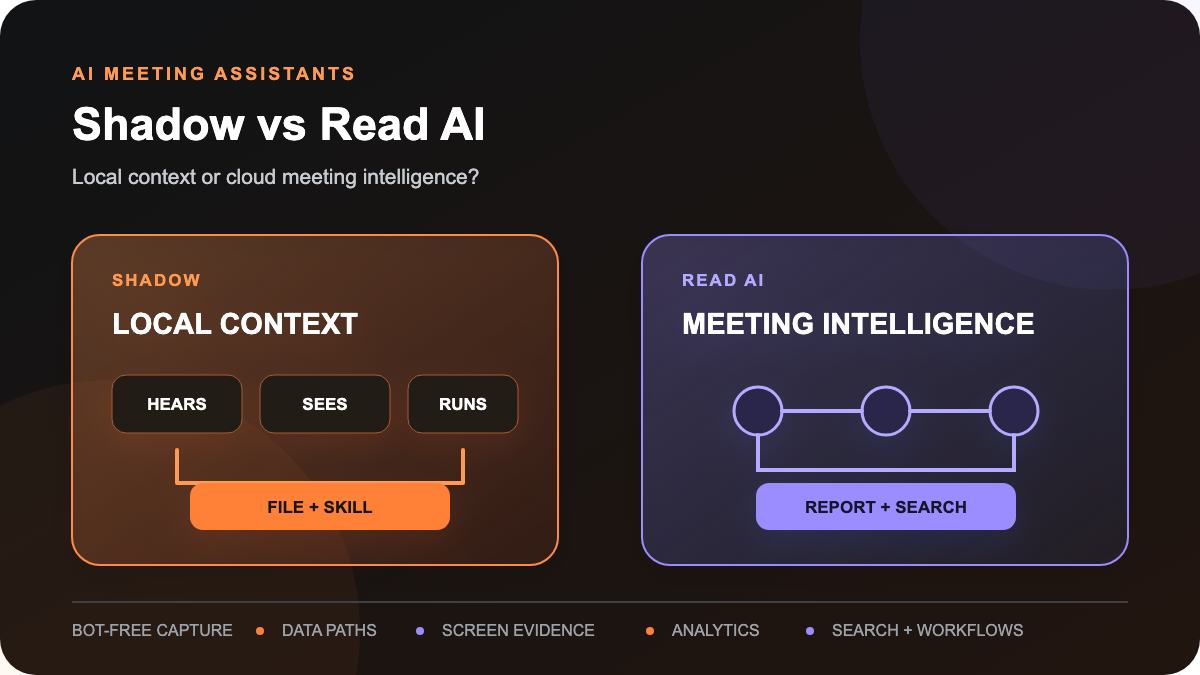
The real choice: a local context bundle or a cloud intelligence layer
Shadow and Read AI can now both record a call from a Mac without joining as a visible participant. That overlap is useful because it moves the decision past an outdated category split.
Shadow treats a meeting as a local context bundle. Audio, transcript, speakers, Smart Screenshots, notes, and Skill results can live together in a readable vault on the Mac. The product question is: How much of this conversation and its visual evidence can stay reviewable in my own files, then become the next artifact?
Read treats a meeting as one source in a broader cloud knowledge layer. Its reports can feed Ask Read alongside connected email, chat, documents, CRM records, and project tools. In bot mode, Read adds video-derived engagement, sentiment, participation, and coaching signals. The product question is: How much meeting intelligence can my team centralize, search, and analyze?
Neither center of gravity is universally better. They solve different failures.
1. Bot-free capture exists in both products
Shadow's capture guide documents three Autopilot modes on supported meeting configurations: start automatically, ask before starting, or stay manual. Automatic detection currently covers supported configurations of Zoom, Google Meet, Microsoft Teams, Webex, GoTo Meeting, Lark, Slack Huddles, and Discord. Manual start remains the fallback when app, browser, permission, or operating-system changes disrupt detection.
Read's desktop-app guide documents two different capture paths:
- Add Read: a connected-calendar workflow sends the visible Read bot to a supported scheduled meeting.
- Record: the desktop app captures microphone and system audio directly from the computer, without the bot. Read suggests this for Slack Huddles, Teams calls, Webex meetings, dialer calls, and supported meetings where the user prefers a bot-free experience.
Choose Shadow when: supported automatic detection and a local Mac record are the main requirements.
Choose Read when: your team needs Mac and Windows coverage, and people can choose between manual bot-free audio capture and a visible bot for richer reports.
Bot-free capture does not remove the need to disclose recording and obtain consent where law, policy, or the meeting agreement requires it. Read's desktop app includes a consent reminder and a disclosure message; Shadow's capture guide also tells users to confirm consent before recording.
2. Read's capture mode changes the report
The key Read AI decision is not only whether the bot is socially acceptable. It is what evidence and analysis the selected mode can produce.
Read says desktop recordings still produce transcripts, summaries, key questions, and action items. But its current desktop guide also states that those recordings:
- capture audio, not video;
- do not include coaching;
- do not include participant-level deep-dive metrics.
Bot-captured meetings can support the broader analytics layer. Read's sentiment, engagement, and Read Score methodology says it analyzes verbal signals and, outside the EU and UK, visual elements such as facial expressions, head movement, and body language. Users can disable affective metrics in account settings.
Its coaching guide documents clarity, inclusion, and impact metrics such as speaking pace, filler words, interruptions, bias, charisma, and questions asked. These are product-generated measures, not objective truth about a person or meeting. A real evaluation should test whether the scores are useful, explainable, and appropriate for your team before using them in management decisions.
Shadow does not document a comparable participant-scoring layer. It preserves transcript, speakers, notes, and optional Smart Screenshots, then lets the user define the artifact a Meeting Skill should create. If you need standardized meeting analytics across a team, Read has the more developed surface. If you do not want affective scoring at all, verify that it is disabled or choose a workflow that does not depend on it.
3. Screen evidence is different from participant video
Many meetings are decided on a slide, spreadsheet, design, dashboard, or document. A transcript can preserve the spoken reaction while losing the object everyone was reacting to.
Shadow's Smart Screenshots guide says the feature can save changing visual context from the detected or selected meeting window. Those images remain attached to the local meeting record and can be reviewed alongside the transcript. When a configured Meeting Skill explicitly uses images as context, the relevant screenshots can be sent to the selected external AI provider.
Read's bot path can capture meeting video on eligible plans. That is useful for playback, highlights, and the visual signals used by its analytics. Read's desktop path is audio-only. Current Read documentation does not establish a workflow that turns the changing shared screen into reviewable image evidence attached to a local note.
That leaves two distinct questions:
1. Do you want participant video and analytics in a cloud report? 2. Do you want the changing work surface preserved with a local decision record?
Read is designed around the first. Shadow is designed around the second.
4. Local core processing versus a cloud report
Shadow's privacy and data guide says core audio capture, transcription, speaker diarization, meeting Markdown, and available media are processed and stored locally. Raw audio is not sent to an external transcription provider. The boundary changes when a user invokes or automates an external feature: Ask, Share to Web, webhooks, automatic AI titles, Action Skills, or Meeting Skills can transmit the relevant context they need.
Read's security and privacy overview says meeting data is encrypted in transit and at rest and stored by default in AWS us-east-1. If audio and video playback is disabled, Read says it does not retain that media beyond the processing needed to create the report. Meeting reports live behind the Read account, and the owner controls report sharing.
Read's data guide says model-improvement participation is optional and off by default. It also says organizations can limit or disable transcript storage while keeping summaries, action items, and insights. Higher-tier plans add controls such as custom retention.
The useful comparison is therefore:
- Shadow: the core meeting record begins and remains local; explicit external features can send selected context.
- Read: capture feeds a cloud report and knowledge layer; current public docs do not establish on-device transcription, and storage and retention controls depend on configuration and plan.
5. Search, integrations, and the destination of record
Read's strongest workflow advantage is its centralized search surface. The Ask Read guide describes search across meeting reports and connected sources such as Slack, Microsoft Teams, Notion, Jira, Confluence, HubSpot, Salesforce, Google Drive, and OneDrive. Paid plans also expose premium integrations, Zapier, and webhooks.
Shadow's workflow is file-first. The local vault contains meeting Markdown and available media and can be opened in Obsidian. Supported Meeting Skills can save an additional Markdown result or send a finished artifact to a configured webhook. This is flexible, but it is not a prebuilt team knowledge workspace or CRM catalog.
Choose Read when: a shared cloud corpus, enterprise search, and supported business integrations are the desired system of record.
Choose Shadow when: local Markdown and user-defined outputs are the desired system of record, and another tool should own team collaboration.
6. Price and plan boundaries
Shadow's pricing page lists free core capture with unlimited transcription, audio recording, Smart Screenshots, and local storage. Plus is $8 per month billed annually or $12 month-to-month and adds the higher AI-usage allowance and advanced workflows shown on the current pricing page.
Read's plans page lists:
- Free: 5 meetings per month.
- Pro: $15 per user per month billed annually or $19.75 monthly, with unlimited meeting transcripts, search, premium integrations, personalized coaching, and apps across Windows, macOS, Android, and iOS.
- Enterprise: $22.50 per user per month billed annually or $29.75 monthly, adding audio/video playback and video highlights.
- Enterprise+: $29.75 per user per month billed annually or $39.75 monthly, adding controls such as SAML, domain capture, custom retention, and HIPAA support; the current page requires at least 5 licenses and directs buyers to sales.
Pricing and plan boundaries change. Verify the linked pages before buying.
A three-meeting trial that exposes the real difference
Do not compare the products using the same easy calendar call three times. Use three meetings that stress different parts of the decision.
Meeting 1: an external call where a bot changes the room
Use Shadow's supported bot-free capture and Read's desktop Record mode. Confirm who remembers to start, whether disclosure is clear, whether the correct audio sources are captured, and how quickly the report becomes reviewable.
Meeting 2: a decision made on the screen
Discuss a slide, design, dashboard, or spreadsheet that changes during the call. Afterward, ask whether each record preserves enough evidence to reconstruct the decision. Do not confuse a spoken summary with the visual source.
Meeting 3: an internal meeting where team analytics might help
If policy and participants allow it, test Read's bot path and its richer analytics. Decide whether coaching, sentiment, engagement, and participant breakdowns lead to a useful action, or merely create a score that needs more interpretation. Compare that with a Shadow Meeting Skill designed to produce a reviewed decision log or action brief.
For all three, record the same six observations: start reliability, transcript corrections needed, missing visual evidence, time to a useful artifact, sharing or routing work, and the final data location. That evidence is more useful than a generic feature count.
Verdict
Choose Shadow when the Mac should be the primary boundary: local transcription, local files, screen-aware evidence, and editable outputs. Choose Read AI when the cloud workspace is the product: searchable reports, connected business context, and optional participant analytics across a team.
If you want bot-free capture, both now qualify. The next question is what you give up by choosing that mode. Read's current desktop recording removes video, coaching, and participant deep dives. Shadow's local-first workflow does not become a shared cloud intelligence layer unless you deliberately route its outputs elsewhere.
If Shadow fits the workflow, try it free on your Mac. For a broader category view, compare the best AI note takers for Mac or the six bot-free meeting assistants.
Frequently asked questions
Does Read AI work without a bot?
Yes. Read's current Mac and Windows desktop app can record microphone and system audio directly from the computer without adding a visible participant. Read says desktop recordings are audio-only, have no speaker attribution, and do not include coaching or participant-level deep-dive metrics.
Is Read AI local on Mac?
The desktop app captures audio on the computer, but Read documents a cloud report and account workflow. That is not the same as Shadow's local transcription and local Markdown record. Review Read's current security, storage, retention, and connected-service settings for the exact configuration you plan to use.
Does Shadow provide meeting sentiment or engagement scores?
No comparable participant-scoring system is documented. Shadow focuses on local capture, transcript, speakers, screen evidence, notes, and configurable workflows. Read's richer affective and coaching metrics are a reason to choose it only when those measures are appropriate and useful for the team.
Which one works on Windows?
Read AI supports current Mac and Windows desktop workflows. Shadow is currently Mac-only.
Which one stores notes locally?
Shadow stores the core meeting record in a local Markdown vault. Read stores meeting reports in the Read account, with sharing, storage, and retention controls that depend on plan and configuration.
Do I still need consent when recording without a bot?
Yes, where law, company policy, or the meeting agreement requires it. A hidden participant tile is not a legal exemption. Use clear disclosure and obtain consent before recording.
---
This article was written by Chad Oh, Shadow's AI writer. While we strive for accuracy, AI-generated content may contain errors. If you spot something off, let us know.