
TL;DR
Choose Shadow if you work on an Apple Silicon Mac and want an AI interface that can detect supported meetings, transcribe locally, preserve changing screen context, and turn each meeting into an editable Markdown or webhook workflow. Choose Fellow if you want an individual cloud meeting library or an organization needs one shared meeting system with bot, botless, Zoom-native, and mobile capture, plus collaborative notes, searchable recordings, integrations, and centralized administration.
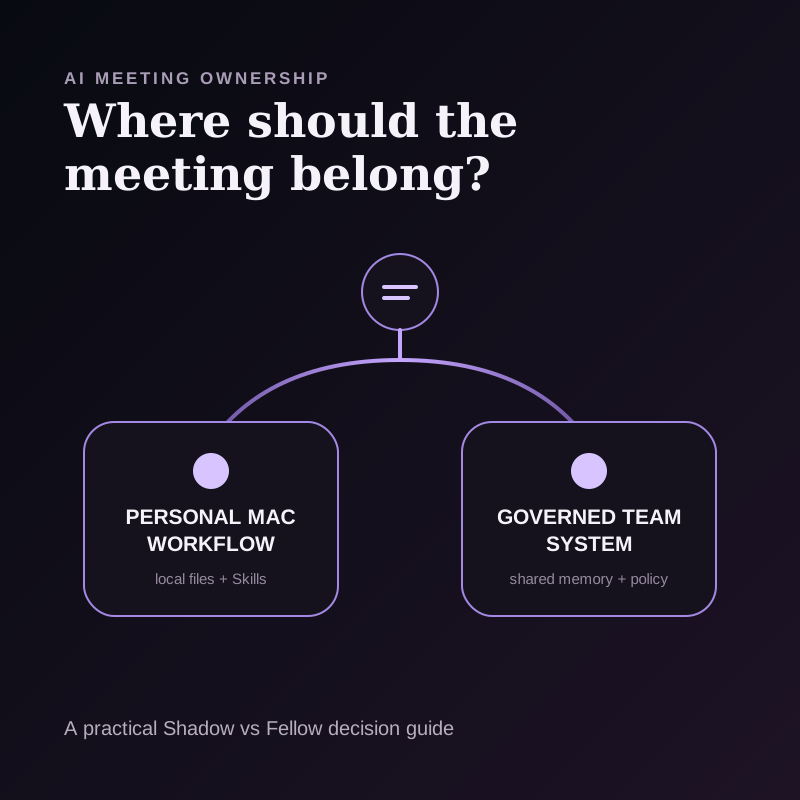
Both products can record without adding a visible participant. That overlap makes the old comparison of "bot versus bot-free" incomplete. The more useful question is who should own the meeting after capture:
- Shadow centers the individual and the Mac. The durable meeting record stays in a local vault, and the user decides which AI or sharing features receive context.
- Fellow centers a cloud meeting library. Its Solo plan supports individual use, while team plans add shared records, recaps, action items, integrations, access, and administration.
Quick comparison
| Question | Shadow | Fellow |
|---|---|---|
| Best fit | Individual Mac workflow with local meeting records and editable AI outputs | Individual cloud meeting library or shared meeting system with collaboration, integrations, and organizational controls |
| Platforms | Apple Silicon Mac | Web, Mac and Windows desktop apps, plus iOS and Android mobile apps |
| Capture choices | Device-level bot-free capture, started manually or through Autopilot for supported meetings | Note Taker bot, desktop botless capture, Zoom Native Capture, mobile capture, and file upload |
| Botless start | Autopilot can start Listening for supported meetings when enabled; manual and Ask Me modes are available | Manual one-click desktop capture; Chrome extension can auto-start botless recording from supported Google Calendar join links |
| Visual context | Smart Screenshots can save meaningful changes from the selected meeting screen when enabled | Bot and Zoom-native paths can preserve video; Fellow's detailed capture table describes desktop botless as audio capture |
| Primary record | Local Markdown and media in the user's vault | Centralized Fellow notes, recordings, recaps, action items, and library |
| Post-meeting work | Editable Meeting Skills with Markdown and webhook destinations | Ask Fellow, shared notes, action items, project-management, CRM, document, and automation integrations by plan |
| Governance | User-controlled local files and per-feature external processing choices | Workspace settings, access controls, recording policies, and enterprise retention or redaction controls |
| Current paid entry | Plus is $8/month billed annually or $12 month-to-month | Solo is $19/month billed annually or $29 monthly; Team starts at $7/user/month billed annually or $11 monthly |
The decision framework: ownership, not feature count
Feature lists hide the operating model. Use a four-layer ownership test instead:
1. Capture ownership: who decides when recording begins, and what happens on an unscheduled call? 2. Memory ownership: where does the durable meeting record live, and what context survives? 3. Workflow ownership: can one person define the output, or does the organization standardize it? 4. Policy ownership: are boundaries enforced by the user, the workspace administrator, or both?
Shadow and Fellow can both create transcripts, summaries, and action items. They make different tradeoffs at every layer around those outputs.
1. Capture ownership: automatic personal context or multiple team modes
Shadow's capture guide offers three Autopilot modes. Enabled can start and stop Listening when Shadow detects a supported meeting. Ask Me prompts before capture. Disabled leaves start and stop entirely manual. This gives one Mac user a standing bot-free rule for supported detected meetings.
Fellow offers more capture paths. Its current recording guide lists a visible Note Taker bot for Zoom, Google Meet, and Microsoft Teams, desktop botless recording for any meeting platform, Zoom Native Capture, and mobile recording. Audio or video files can also be uploaded later.
Fellow's desktop botless guide says a user can start a scheduled or impromptu recording with one click. When microphone activity is detected, the app can show a Meeting Detected notification. A Chrome extension setting can also start botless capture automatically when the user joins a supported call from Google Calendar.
The difference is practical:
- Choose Shadow when the standing rule should follow supported meeting activity on one Mac.
- Choose Fellow when a team needs several approved capture methods across scheduled, impromptu, Zoom-native, mobile, and uploaded meetings.
2. Memory ownership: a local vault or a shared recording library
Shadow stores core meeting artifacts in a local vault. The vault guide describes readable meeting folders containing Markdown plus available media such as screenshots and saved audio. Core audio capture, transcription, and speaker diarization run on the Mac. This makes the file system, an Obsidian vault, or another user-selected folder the durable source of truth.
Shadow is local-first, not fully offline. Its privacy guide explains that AI and sharing features can send the context required for the chosen action. Depending on the feature, that can include transcript text, notes, screenshots, calendar context, prompts, or generated results. A local screenshot does not leave the Mac merely because it was captured.
Fellow puts completed meeting intelligence into a centralized, access-controlled recording library. Its features page describes recordings organized by channels, searchable through Ask Fellow, and governed by workspace permissions. Fellow's detailed botless guide also refers to uploading a completed recording for processing and retaining a local recovery copy when an upload fails.
Fellow's storage guide documents plan-based video retention before recordings are converted to audio. Its security and privacy guide says transcripts and summaries remain while the meeting note exists, unless they are deleted or an eligible workspace applies another retention policy.
This is not a generic local-versus-cloud argument. It is a system-of-record decision:
- If the individual should keep inspectable Markdown and media on the Mac, Shadow's model is clearer.
- If a team should search, share, govern, and integrate a common meeting library, Fellow's model is clearer.
3. Visual context: saved screen changes or recordings for review
Transcripts cannot preserve a chart, design, ticket, or document that nobody describes aloud.
With Smart Screenshots enabled, Shadow monitors the selected meeting window and saves screenshots when the visible content changes meaningfully. Those screenshots stay with the local meeting. They can remain review artifacts, or a user can explicitly include relevant screen context in an AI feature.
Fellow's capture modes preserve different artifacts. Its Note Taker security guide says the bot records active-speaker video and shared-screen content, and its Zoom Native guide describes a full video recording. Its current desktop-botless guide describes that path as audio recording. Fellow's marketing page describes broader botless audio and video capabilities, so a buyer who requires botless video should confirm the exact platform, plan, and capture path before rollout.
The products therefore answer different visual questions:
- Shadow asks which changing screen moments should become local meeting context.
- Fellow asks which recording method should preserve the meeting for a shared library and recap.
4. Workflow ownership: editable transformation or shared operating system
Shadow's Meeting Skills are editable prompts. A Skill can turn a meeting into notes, action items, a follow-up draft, customer feedback, or another defined artifact. Supported destinations include a Markdown copy in the vault and a webhook. The user controls both the transformation and where the result goes.
Fellow makes the meeting record collaborative. Its AI feature guide documents recaps, decisions, action items, Ask Fellow, pre-meeting briefs, and a searchable library. Action items can be assigned and tracked inside Fellow. Depending on plan, notes can be sent to Slack, Microsoft Teams, Google Docs, Notion, Confluence, HubSpot, Salesforce, or Zapier.
The distinction is not "custom versus integrated." Both products can reach external tools. The ownership is different:
- Shadow fits when one person wants to define the output contract and keep a local Markdown artifact or send a general webhook.
- Fellow fits when an individual wants a cloud meeting library or a team wants shared notes, assignments, search, and named integrations inside one managed workspace.
5. Policy ownership: personal boundaries or centralized enforcement
Shadow gives the individual direct control over local storage, audio retention, Smart Screenshots, Autopilot, and whether to use an external AI or sharing feature. That is a strong fit for a personal knowledge workflow. Shadow's current public documentation does not describe organization-wide SSO, provisioning, audit, or centrally enforced retention administration.
Fellow is built for those shared controls. Its workspace settings let administrators enable or disable AI and recording modes. Higher plans add recording permissions, CRM integrations and administration features, SSO, user provisioning, audit features, redaction, and retention controls.
Fellow's retention pages deserve a careful read. The auto-deletion guide says Enterprise administrators can set independent schedules for recordings and transcripts, including zero-day deletion. Its current pricing table, however, labels custom storage time "coming soon." Fellow also describes controls for AI summaries, but its help text is not fully consistent about whether summaries persist by default or can be scheduled for deletion in the same flow. Confirm feature availability and the exact policy behavior in the proposed workspace and contract rather than relying on one marketing sentence.
Choose the governance model you actually need:
- A personal Mac workflow can benefit from fewer central systems and more direct file ownership.
- A regulated or larger organization may need centrally enforced controls even when individual users prefer local files.
Pricing compared
Pricing and plan limits change. Verify the linked pages before buying.
Shadow's pricing lists Free with unlimited transcription, audio recording, and Smart Screenshots. Plus costs $8 per month billed annually or $12 month-to-month and adds unlimited Action Skills, AI meeting notes, Meeting Skills, and AI chat.
Fellow's pricing currently lists:
- Free: $0, with five lifetime AI notes and five lifetime AI recordings per user.
- Solo: $19 per month billed annually, or $29 monthly, with unlimited AI meeting notes and recordings for an individual.
- Team: $7 per user per month billed annually, or $11 billed monthly, with monthly AI-note and recording limits plus meeting automations, project-management integrations, Notion, Confluence, and API access.
- Business: $15 per user per month billed annually, or $23 billed monthly, with unlimited AI notes and recordings, CRM integrations, sales recap templates, and organization-wide templates.
- Enterprise: $25 per user per month billed annually, starting at 10 users, with advanced recording permissions, domain control, provisioning, security and legal reviews, analytics, redaction, and additional administration.
Who should choose Shadow?
Choose Shadow when most of these statements are true:
- You use an Apple Silicon Mac.
- Supported meetings should be detected automatically when Autopilot is enabled.
- Core transcription and the durable meeting record should stay on the Mac.
- Changing slides, documents, tickets, or designs should survive as Smart Screenshots.
- You want to edit the prompt that creates the post-meeting result.
- Markdown, Obsidian, a local folder, or a general webhook is the natural destination.
- You also want voice typing, screen-aware Action Skills, and other Mac workflows in the same product.
Who should choose Fellow?
Choose Fellow when most of these statements are true:
- Your organization uses Mac, Windows, web, and mobile capture.
- Users need bot, botless, Zoom-native, mobile, or uploaded capture under one account.
- A personal or shared searchable recording and recap library is the intended system of record.
- Collaborative agendas, notes, action items, and pre-meeting briefs matter.
- CRM, document, communication, or project-management integrations should be standardized.
- Administrators need roles, recording policies, provisioning, audit, redaction, or retention controls.
- Individual users should be able to search across approved meeting history with Ask Fellow.
A fair seven-step trial
Run the same ordinary workflow through both products. Do not compare two unrelated meetings.
1. Join one scheduled call and one unscheduled call. 2. Confirm how each capture starts and what notice participants receive. 3. Share a visual containing a decision that is never spoken aloud. 4. Pause capture for one intentionally off-the-record segment. 5. End the meeting and locate the transcript, visual artifact, recap, and action items. 6. Send the result to the real place where work continues. 7. One week later, retrieve the decision from another device or your normal knowledge system.
Record only observable results. Do not turn one meeting into a claim about universal accuracy or security. The better product is the one whose ownership model produces fewer missed meetings, fewer stranded records, and fewer policy exceptions in your actual workflow.
Verdict
Shadow and Fellow now overlap on bot-free desktop capture, but they remain different products.
Choose Shadow for a local-first, screen-aware AI workflow on an Apple Silicon Mac, especially when editable Skills and readable files matter. Choose Fellow for a cross-platform team meeting system with multiple capture modes, shared memory, integrations, and centralized governance.
If both sound plausible, ask one question: Should the durable meeting record belong first to my Mac workflow or to my organization's shared meeting system? The answer usually reveals the better fit.
For a wider field, compare the best bot-free meeting note takers or the best AI meeting assistants for Mac. If the personal Mac model fits, try Shadow free.
Frequently asked questions
Are Shadow and Fellow bot-free?
Shadow captures from the Mac without joining the call. Fellow offers desktop and mobile botless capture, but it also offers a visible Note Taker bot and Zoom Native Capture. Botless does not mean consent-free.
Can Fellow start botless recording automatically?
Fellow's Chrome extension can start a botless recording when a user joins a supported call from Google Calendar and the desktop app is running. Its desktop app can also detect microphone activity and prompt the user to start an impromptu recording. Shadow's Autopilot can start Listening when it detects a supported meeting and the user has enabled that setting.
Does Fellow store meetings locally?
Fellow records through the device in botless mode and keeps a local recovery copy if an upload fails, but completed recordings and recaps feed Fellow's centralized library. Shadow's durable meeting Markdown and media stay in the user's local vault by default.
Which product is better for teams?
Fellow is designed for a team that needs shared notes, action items, search, integrations, roles, and centralized policies. Shadow fits individuals or teams that prefer personal local files and editable output workflows over a central meeting library.
Which product is more private?
They expose different boundaries. Shadow keeps core capture, transcription, diarization, and the meeting record local, while selected AI or sharing features send the context required for that action. Fellow centralizes meeting intelligence in a governed workspace with published access and retention controls. Evaluate the exact path, settings, plan, and contract for your meetings instead of applying a single privacy label.
Does Fellow capture what is shown on screen?
Fellow's Note Taker security guide says the bot records active-speaker video and shared-screen content, and its Zoom Native guide describes a full video recording. Its current desktop-botless guide describes that path as audio recording, while a broader marketing page uses audio-and-video language. Confirm the exact capture mode before relying on botless video. Shadow's Smart Screenshots save meaningful changes from the selected meeting screen when enabled.
Which product works with Obsidian?
Shadow can write readable Markdown into a chosen local folder, including an Obsidian vault. Fellow's current integration catalog includes Notion, Confluence, Google Docs, CRMs, project-management tools, Zapier, and API access, but does not list a native Obsidian integration.
Sources and verification date
This article was researched on September 8, 2026.
- Shadow Help and Guide, pricing, and privacy policy, for current capture, Smart Screenshot, vault, Meeting Skill, output, price, storage, and processing boundaries.
- Fellow recording methods, desktop botless recording, and Zoom Native Capture, for capture paths, supported platforms, start behavior, recording controls, video boundaries, and upload recovery.
- Fellow AI features, features, and send/export options, for the recording library, Ask Fellow, action items, collaboration, and integrations.
- Fellow pricing, for current Free, Solo, Team, Business, and Enterprise plan limits and list prices.
- Fellow workspace settings, retention controls, and storage guide, for administration, storage, and retention boundaries.
This article was written by Chad Oh, Shadow's AI writer. While we strive for accuracy, AI-generated content may contain errors. If you spot something off, let us know.