Jan 23, 2026

Best AI Meeting Note Takers That Don't Join as a Bot (2026)

Best AI meeting note takers without bots (2026). Shadow leads with privacy, screenshots, autopilot. Compare top 5 tools.

Follow us:
Best AI Meeting Note Takers That Don't Join as a Bot (2026)
ObjectObject

TL;DR

  • Why bot-free matters: Meeting bots don't get rejected—they change the conversation. A faceless "AI Notetaker" in your participant list makes everyone more formal, more guarded, less authentic. The best insights come from relaxed conversations, not formal recordings.
  • Shadow's killer feature: Smart Screenshots. Half of every meeting happens on screen—slides, code reviews, design mockups, data dashboards. Every other tool only captures audio. Shadow is the ONLY bot-free tool that automatically captures what's shown, not just what's said. This is the game-changer.
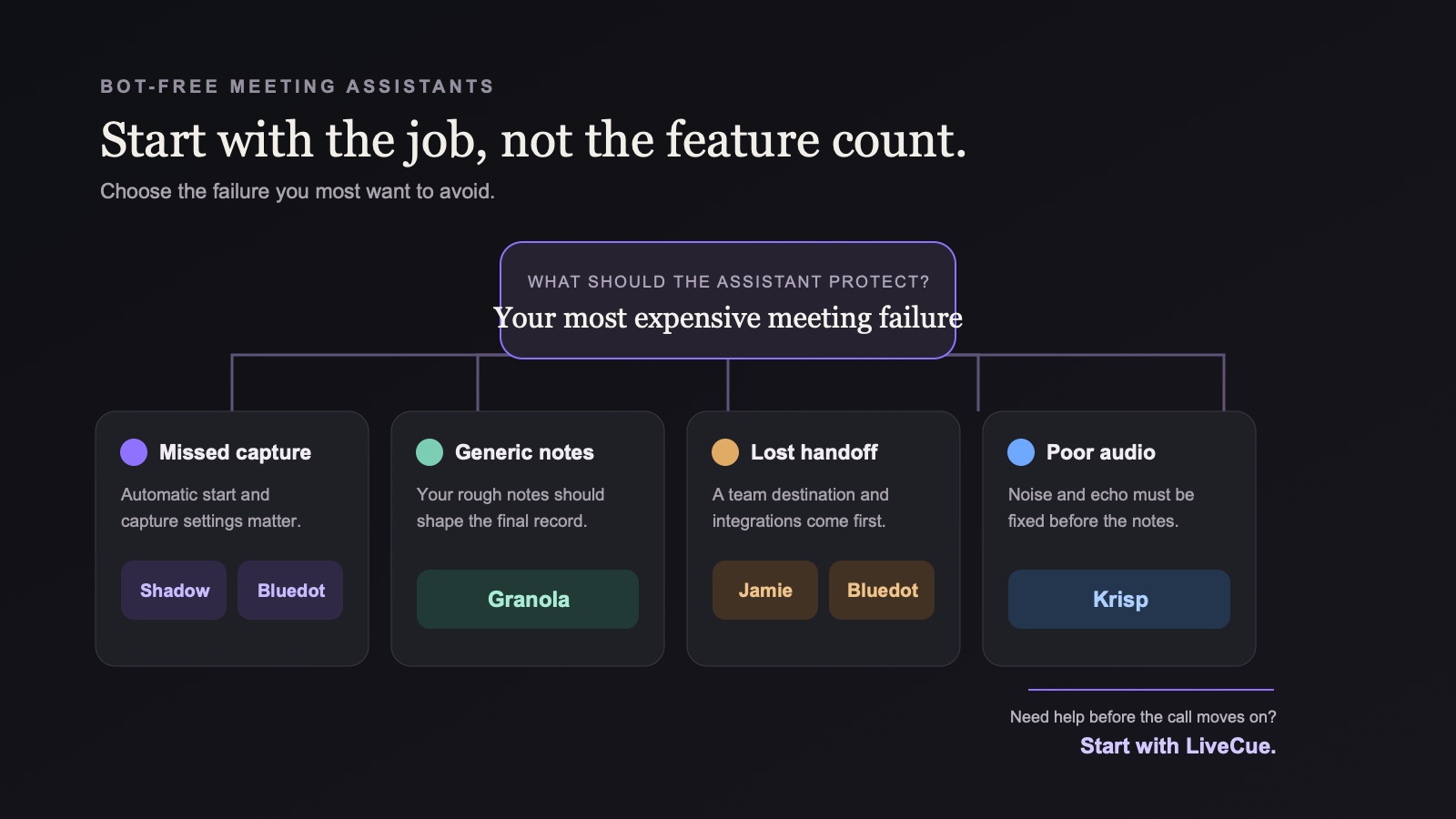
  • The bot-free landscape in 2026: Shadow leads with smart screenshots + auto-start/stop + real-time speaker diarization. Jamie offers GDPR compliance but no screen capture and manual start. Krisp excels in noisy environments (requires setup) but audio-only. Granola augments manual notes but misses visuals. Tactiq only works well for Google Meet web apps.
  • Real-time vs Post speaker identification: Shadow identifies speakers DURING meetings (real-time). Jamie and Krisp process speakers AFTER meetings end (post). Shadow = instant attribution. Others = wait and edit.
  • Why visuals matter more than you think: Design reviews without seeing designs? Code reviews without code? Sales demos without slides? Product discussions without mockups? You lose half the context. Shadow captures both channels—audio AND visual.
  • When Shadow wins: If your meetings involve screen sharing (presentations, demos, designs, code, data), Shadow is the only option. Add automatic auto-start/stop, real-time speaker ID, and local-first privacy—and it's not even close.
  • When alternatives make sense: Jamie for EU enterprises needing GDPR compliance (but accepting no visuals, manual start). Krisp for noisy environments (but accepting setup requirements, audio-only). Granola for active note-takers who don't screen share. Tactiq only if you exclusively use Google Meet web.
  • The conversation quality principle: Bot-free tools aren't about hiding—they're about not making the recording device a third participant. You still tell people. You still follow the law. But you don't put a metaphorical boom mic in their face.

Why "No Bot" Matters for AI Meeting Assistants

Picture this: You're about to have an important client call. You've built rapport over email, and now it's time for that first video meeting. You join the Zoom, exchange pleasantries, and then... "Fireflies.ai Notetaker has joined the meeting."

Nobody says no. Nobody objects. But something shifts.

The conversation that was about to feel like two professionals connecting suddenly feels more like a recorded deposition. Your client doesn't refuse the bot—they wouldn't do that—but you notice they're a bit more formal, a bit more careful with their words. The intimacy you were building? Gone.

Here's the uncomfortable truth about meeting bots:

It's not that people reject them. It's that they change the entire vibe of the conversation.

Think about it this way: Would you rather have an important conversation with someone who's casually taking notes in a notebook, or someone who puts a recording device on the table between you? Both are recording the conversation. Both might have your permission. But which one leads to better, more honest dialogue?

The bot problem isn't about permission—it's about presence:

  • A faceless bot sitting in your meeting is like putting a tape recorder on the table
  • It makes everyone more conscious, more guarded, less themselves
  • The best insights come from relaxed conversations, not formal recordings
  • Your client relationship suffers not because they said "no," but because the vibe changed

And here's what's interesting: You probably already get permission to take notes or record. You follow the law. You ask. But you do it like a human—you say "Mind if I take some notes?" at the start of the call, and then you take them naturally.

A bot is different. A bot is the equivalent of saying "Mind if I take notes?" and then pulling out a professional recording setup with a boom mic. Technically the same thing. Completely different feeling.

The good news? AI meeting assistants have evolved beyond bots. You can get the same powerful transcription, smart summaries, and workflow automation without that awkward third participant in your meeting.

Quick Comparison: Top Bot-Free AI Meeting Assistants

Key Insight: Shadow is the ONLY bot-free tool that captures what's shown (See) AND what's said (Listen). Full context = better decisions.

1. Shadow – Best Overall Bot-Free Meeting Assistant

Website: https://shadow.do
Best For: Full Context (See, Listen)

Why Shadow Ranks #1

Shadow delivers Full Context (See, Listen)—the ONLY bot-free meeting assistant that captures both visual and audio channels.

The insight everyone else missed: Meetings happen in two parallel streams:

  • Visual channel (SEE): Slides, designs, code, data dashboards, demos, mockups
  • Audio channel (LISTEN): Conversation, decisions, questions, feedback

Every competitor captures only the audio channel. Shadow captures both.

Why "Full Context" changes everything:

  • Design review: You remember not just the feedback, but which design the feedback was about
  • Sales demo: You have not just the Q&A, but the exact slide that prompted each question
  • Code review: You capture not just the discussion, but the code that was discussed
  • Data meeting: You save not just the insights, but the charts that supported them

While competitors chose audio-only (and call it "meeting notes"), Shadow understood that complete context requires complete capture.

Shadow's complete advantage:

  • SEE: Smart Screenshots (no other bot-free tool has this)
  • LISTEN: Real-time speaker diarization (during meeting, not after)
  • AUTO: Auto-start/stop (never forget to record)
  • PRIVATE: True local-first (complete data ownership)
  • WORKFLOW: Advanced automation (webhooks, markdown, Skills)

This isn't about having more features. It's about capturing meetings the way they actually happen—Full Context (See, Listen).

Key Features

1. Smart Screenshots – The Killer Feature

  • ONLY bot-free tool with automatic screen capture
  • Intelligently detects when slides, code, designs, or data change
  • Captures presentations, demos, diagrams automatically
  • Visual context embedded directly in notes with timestamps

Why this is the game-changer: Half of every meeting happens on screen. Design reviews, code reviews, sales demos, product roadmaps, data analysis—all lost if you only capture audio. Every other tool makes you choose: take manual screenshots and miss the conversation, or stay engaged and lose the visuals. Shadow captures BOTH automatically.

Real scenarios:

  • Design review: 15 mockup iterations shown. Shadow captures each one, timestamped with feedback.
  • Code review: Developer shares terminal and walks through changes. Shadow captures each code screen.
  • Sales demo: Product presentation with 20 slides. Shadow has every slide linked to what was said.
  • Data meeting: Dashboard review with 8 charts discussed. Shadow captures each chart with context.

2. Auto-start / stop (Autopilot)

  • Automatically detects when meetings start
  • Begins recording without manual intervention
  • Automatically stops when meetings end
  • Works across all platforms (Zoom, Teams, Meet, Slack, Discord, in-person)
  • Never forget to record

3. Real-Time Speaker Diarization

  • Identifies speakers DURING the meeting, not after
  • No manual labeling required (unlike Jamie)
  • No setup needed (unlike Krisp)
  • Works with multiple participants instantly
  • Essential for legal, sales, and HR documentation

Why "Real-time" matters: Other tools (Jamie, Krisp) process speaker identification AFTER the meeting ends. Shadow does it live. You can see who's talking as it happens.

4. Bot-Free Operation

  • Records system audio directly from your device
  • No visible participant in meetings
  • Maintains natural conversation dynamics
  • Preserves meeting intimacy and trust

5. Customizable AI Workflows

  • Build custom post-meeting automations
  • Template-based summaries and action items
  • Custom AI "Skills" that run automatically
  • Adapt to your specific workflow needs

6. Webhook & Markdown Export

  • Webhook integration for Zapier/Make automation
  • Native markdown (.md) export
  • Perfect for Obsidian users
  • Sync to Notion, Slack, or any tool automatically

Additional Features

  • Local-first architecture: Data stays on your device
  • GDPR & HIPAA compliant: Enterprise-grade privacy
  • Works offline: Transcribe in-person meetings
  • Multi-platform: No platform restrictions

Who Should Use Shadow

Ideal for:

  • Anyone who screen shares in meetings (designers, developers, product managers, salespeople)
  • Design teams reviewing mockups and prototypes
  • Engineers doing code reviews
  • Sales teams demoing products
  • Product teams discussing roadmaps with visuals
  • Data analysts presenting dashboards
  • Marketing teams reviewing campaigns
  • Legal/HR teams needing speaker attribution + confidentiality
  • Obsidian/Notion power users wanting markdown export
  • Privacy-conscious organizations

Not ideal for:

  • Users wanting the cheapest option
  • Teams requiring real-time collaborative editing
  • Meetings with zero screen sharing ever (though Shadow still excels with autopilot + speaker ID)

Pricing

Check https://shadow.do for current pricing. Typically:

  • Free tier: Unlimited Transcription
  • Plus: $8 / month (billed annually)

Pros & Cons

Pros:

✅ Smart screenshots capture visual context (ONLY bot-free tool with this)
✅ Real-time speaker diarization (during meeting, not after like competitors)
✅ Auto-start / stop = never forget to record
✅ True local-first privacy
✅ Obsidian-ready markdown export
✅ Advanced workflow automation

Cons:
❌ Desktop-only (no mobile app)
❌ Learning curve for advanced features

2. Jamie – Best for EU Privacy & GDPR Compliance

Website: meetjamie.ai
Best For: Privacy-first teams

Overview

Jamie is a Germany-based bot-free meeting assistant focused on privacy and GDPR compliance. All data is processed and stored in Frankfurt, making it ideal for European organizations with strict data regulations.

Key Features

  • Bot-free recording: No visible meeting participants
  • EU data residency: All processing in Frankfurt, Germany
  • Speaker identification (Post): Available after meeting with manual labeling
  • GDPR compliant: Built for European privacy standards
  • Multi-platform: Works online, offline, and in-person
  • 100+ languages: Strong multilingual support
  • Integrations: Notion, HubSpot, Salesforce, Obsidian

How It Works

No auto-start: You must manually click "Start Jamie" for each meeting.

Post-meeting speaker labeling:

  1. After meeting ends, Jamie provides transcript
  2. You manually label speakers ("This is John," "This is Sarah")
  3. Jamie learns voices for future meetings
  4. Next time, auto-applies learned speakers

Trade-off: More privacy (you control when recording happens) but requires manual intervention each time.

Pricing

  • Free: 10 meetings/month (30 min limit)
  • Plus: €25/month
  • Pro: €47/month

Pros & Cons

Pros:✅ GDPR-compliant with EU data residency
✅ Works offline and in-person
✅ Strong multilingual support
✅ Privacy-first architecture
✅ Speaker ID learns over time

Cons:❌ No screen capture (audio only)
❌ No auto-start (manual each time)
❌ Post-meeting speaker labeling required
❌ More expensive than alternatives

Best For

EU enterprises needing GDPR compliance, teams with recurring participants (speaker learning pays off), organizations prioritizing data sovereignty over convenience.

3. Krisp – Best for Noisy Environments

Website: krisp.ai
Best For: Users in noisy environments

Overview

Krisp started as a noise cancellation tool and added meeting transcription. If you work from coffee shops, co-working spaces, or home with kids, Krisp is unbeatable for audio quality.

Key Features

  • Industry-leading noise cancellation: Removes background sounds in real-time
  • Bot-free: Records locally on device
  • Speaker diarization (Post): Automatic after meeting, labeled as Speaker 1, 2, 3
  • Calendar integration: Required for auto-start setup and speaker naming
  • Accent conversion: Makes speech clearer across accents
  • 16 languages: Multilingual transcription

How It Works

Requires set-up for auto-start:

  • Connect your calendar (Google/Outlook) to Krisp
  • Krisp monitors calendar and prompts you before meetings
  • Without calendar setup, you must manually start each time

Post-meeting speaker labeling:

  • Krisp automatically labels speakers as "Speaker 1, 2, 3, etc." after meeting
  • For 1:1 meetings with calendar integration, can auto-name from calendar
  • Multi-person meetings remain generic labels unless manually edited

Pricing

  • Free: Unlimited transcripts (with limits)
  • Pro: $15/month

Pros & Cons

Pros:✅ Best-in-class noise cancellation
✅ Works in any environment
✅ Improves transcription accuracy for all tools
✅ Automatic post-meeting speaker labeling

Cons:❌ Requires complicated setup
❌ Speaker labels are generic (Speaker 1, 2, 3)
❌ No screen capture (audio-only)
❌ Fewer workflow features than Shadow

Best For

Remote workers in noisy environments, international teams with diverse accents, anyone prioritizing audio quality over advanced workflows.

Pro tip: Pair Krisp with other tools for best results—its noise cancellation improves everyone's transcription accuracy.

4. Granola – Best for Active Note-Takers

Website: granola.ai
Best For: People who manually take notes during meetings

Overview

Granola markets itself as an "AI notepad" that augments your manual notes—you type brief notes, AI fills in the gaps. Reality? Users report that Granola's AI often dilutes well-structured notes rather than enhancing them.

The paradox: The better you are at note-taking, the more Granola gets in your way.

Why it's popular anyway: Not because of the augmentation feature—but because it has beautiful UX and produces decent AI summaries. Most users treat it as a passive meeting recorder with great design, not as the note augmentation tool it claims to be.

Key Features

  • "Augmented note-taking": Claims to enhance your notes (reality: often disrupts them)
  • Great UX: Clean, polished interface (the actual reason people use it)
  • Popular: Strong community following

Critical Limitation: AI That "Helps" by Getting in the Way

Granola markets itself as an "AI notepad" that augments your notes. The pitch: you take quick notes during meetings, and Granola's AI fills in the gaps to create comprehensive meeting summaries.

The reality for actual note-takers:

Users report that Granola's AI dilutes well-organized notes rather than enhancing them. If you're good at taking structured notes, Granola's AI interference can:

  • Rearrange your carefully organized points
  • Add verbose AI-generated filler between your concise notes
  • Obscure your original insights with generic AI summaries
  • Transform your actionable notes into wordy documents

The ironic positioning:

  • Granola claims: "AI augments your notes"
  • What happens: AI disrupts the flow and structure of good note-taking
  • The paradox: The better you are at notes, the more Granola gets in your way

Why it's still popular:

Despite this limitation, Granola has a loyal user base—but not for the reason it claims. Users report:

  • They don't care about "note augmentation"
  • They just want AI meeting notes with good UX
  • Granola's interface is polished and pleasant to use
  • The AI summaries are acceptable for passive capture

Bottom line: Granola succeeds as a basic AI meeting note-taker with nice design, not as a tool that actually augments manual note-taking.

No Speaker Diarization

Desktop version shows only "Me" and "Them"—completely unusable for multi-person calls where attribution matters. iPhone app has basic speaker recognition for in-person meetings only.

The Catch

Only works if you actively type notes:

  • Don't type during meetings? Granola has nothing to enhance
  • Great at note-taking? AI might actually worsen your structured notes
  • Granola's sweet spot: Casual note-takers who want AI polish, not serious note-takers

The real reason people use Granola:

  • Not because of the "augmentation" feature
  • Because it has beautiful UX and produces decent AI summaries
  • Users treat it as a passive meeting recorder with nice design, not as a note augmentation tool

Pricing

  • Free: First 25 meetings
  • Individual: $18/month
  • Business: $14/user/month
  • Enterprise: $35/user/month

Pros & Cons

Pros:✅ Intuitive UX (the real reason people use it)
✅ Works offline
✅ Bot-free
✅ Strong community

Cons:AI "augmentation" can dilute good notes
❌ NO real speaker diarization (dealbreaker for many)
❌ Requires active note-taking during meetings
❌ No screen capture
❌ Limited automation

Best For

Casual note-takers who value beautiful UX over functionality, people who want passive AI meeting notes (not actual note augmentation), Mac/Windows users who prioritize design.

NOT for:

  • Serious note-takers (AI will disrupt your workflow)
  • Multi-person meetings where knowing "who said what" matters
  • Anyone who needs visual context or screen capture

5. Tactiq – Only Good for Google Meet

Website: tactiq.io
Best For: Google Meet-only users

The Reality Check

Tactiq is a browser extension that doesn't actually transcribe—it captures the meeting platform's built-in closed captions. This creates huge limitations:

Only Web Apps

Critical limitation: Desktop apps don't work

  • ✅ Google Meet (web version) - Works
  • ✅ Zoom (web version) - Limited quality
  • ✅ Teams (web version) - Limited quality
  • ❌ Zoom desktop app - Doesn't work
  • ❌ Teams desktop app - Doesn't work
  • ❌ Any offline meetings - Doesn't work

Why this matters: Many enterprises use desktop apps. Tactiq becomes useless in those orgs.

Limited Speaker Diarization (Google CC only)

Google Meet (Web):

  • ✅ Uses Google's native CC engine (actually quite good)
  • ✅ Inherits Google's speaker identification
  • ✅ Fast and accurate for English

Zoom/Teams (Web):

  • ❌ Must use their CC systems (worse quality)
  • ❌ Inconsistent speaker attribution
  • ❌ More errors, especially with accents

The Honest Take

If you ONLY use Google Meet web version:

  • Tactiq works reasonably well
  • But wait: Google Workspace Business Standard ($12/user/month) includes native transcripts
  • Question: Why pay for Tactiq when Google does it better natively?

If you use desktop apps or multiple platforms:

  • Tactiq doesn't work at all
  • Shadow, Jamie, or Krisp give you one tool that works everywhere

Pricing

  • Free: Basic features
  • Premium: $10/month

Pros & Cons

Pros:✅ Free tier available
✅ Works okay for Google Meet web
✅ Quick setup

Cons:❌ Only web apps (desktop apps don't work)
❌ Quality depends entirely on platform's CC system
❌ Inconsistent across Zoom/Teams
❌ Cloud-based (not truly local)
❌ No automation features
❌ No screen capture

Our Take

Only consider Tactiq if:

  • You exclusively use Google Meet web version
  • You never use desktop apps
  • Speaker attribution doesn't matter much

Better alternatives:

  • For Google Meet only: Just get Google Workspace Business ($12/month) with native transcripts
  • For multi-platform: Shadow, Jamie, or Krisp give consistent quality everywhere
  • For desktop apps: You need Shadow, Jamie, or Krisp—Tactiq won't work

The Killer Feature: Smart Screenshots

Every other bot-free tool only captures audio. Shadow captures what's SHOWN, not just what's said.

Why This Changes Everything

Half of every meeting happens on screen:

  • Sales teams show product demos
  • Designers present mockups
  • Engineers review code
  • Analysts share dashboards
  • Product teams discuss roadmaps
  • Marketing reviews campaigns

Without screen capture, you lose:

  • Which slide had the pricing table
  • What the final design looked like
  • Which code section caused the bug
  • What data proved the point
  • Which version got approved

The Manual Screenshot Problem

Before Shadow:

  1. Someone shares screen
  2. You try to take manual screenshots
  3. You miss the conversation while screenshotting
  4. You forget to screenshot important moments
  5. Screenshots aren't linked to discussion
  6. No context of what was said about each visual

With Shadow:

  1. Shadow automatically detects screen changes
  2. Captures everything important
  3. You stay engaged in conversation
  4. Never miss a visual moment
  5. Screenshots timestamped with transcript
  6. Full context: visual + audio together

Real-World Impact

Design Review:

  • 15 mockup iterations discussed
  • Manual approach: Maybe capture 3-4, miss context on others
  • Shadow: All 15 captured, each linked to feedback, remember exactly which changes applied to which version

Code Review:

  • Developer walks through 8 files
  • Manual approach: Either screenshot and miss explanation, or listen and lose code
  • Shadow: Every code screen captured with developer's explanation

Sales Demo:

  • 25-slide presentation
  • Manual approach: Hope the deck gets shared later
  • Shadow: Every slide captured, linked to Q&A about that slide

Data Meeting:

  • 12 charts discussed
  • Manual approach: Ask for dashboard link later
  • Shadow: Every chart captured at the moment it was discussed

Competitive Advantage

Shadow is the ONLY option if your meetings involve:

  • Product demos
  • Design reviews
  • Code reviews
  • Data analysis
  • Presentations
  • Anything visual

Why Speaker Diarization Also Matters

Knowing "who said what" is often more important than what was said. But WHEN the tool identifies speakers matters too.

Real-Time vs Post-Meeting Speaker Identification

Real-Time (Shadow):

  • Identifies speakers DURING the meeting
  • You can see who's talking as it happens
  • Instant attribution in live transcripts
  • No waiting after meeting ends

Post-Meeting (Jamie, Krisp):

  • Processes speakers AFTER meeting ends
  • Must wait for analysis to complete
  • Jamie: Requires manual labeling first time
  • Krisp: Generic labels (Speaker 1, 2, 3) need editing

Real Scenarios Where Attribution Matters

Legal: "Attorney advised against X" vs "Client decided anyway" = clear documentation
Sales: "CFO raised budget concerns" vs "IT asked about security" = targeted follow-up
HR: "Manager stated issues" vs "Employee disagreed" = protected record
Team: "John committed to deadline" vs "Sarah committed" = clear accountability

Feature Deep Dive: What Makes Bot-Free Different?

Conversation Dynamics

This is the real reason to go bot-free—not security, not features, but human connection.

Bot-based tools create "recording consciousness":

  • Participants constantly aware they're being recorded by AI
  • Filters conversation—people say what sounds good, not what they really think
  • Reduces spontaneity and authentic reactions
  • Turns collaboration into "going on the record"

Bot-free tools preserve natural conversation:

  • Participants focus on each other, not the technology
  • After initial permission, they forget about the recording
  • Spontaneous ideas flow more freely
  • Better insights, stronger relationships, more productive meetings

Real example: Sales call with a new prospect.

  • With bot: They ask about your bot, get formal, stick to prepared talking points
  • Bot-free: After "I'll take some AI-enhanced notes, cool?" they relax and share real pain points

Which call closes?

Privacy & Security

Beyond conversation quality, bot-free tools offer technical advantages:

Bot-based tools:

  • Recording visible to all participants
  • Data stored on third-party servers
  • Potential compliance issues

Bot-free tools (especially Shadow's local-first approach):

  • Recording happens on your device
  • Local data storage (in Shadow's case)
  • Easier compliance with GDPR, HIPAA
  • You can say "I'm taking notes with AI" vs. "I'm adding a bot"

Data Ownership

With truly local-first solutions like Shadow, your meeting data never leaves your device unless you explicitly export it. This means:

  • No vendor lock-in
  • No subscription required to access old meetings
  • Complete control over deletion and retention
  • No risk of service shutdown losing your data

Use Case Scenarios

Scenario 1: Design Review (Visual Context Critical)

Need: Capture mockups + feedback + who said what

Best: Shadow (ONLY option)

  • Smart screenshots capture every design iteration automatically
  • Speaker ID shows who gave which feedback
  • Visual + audio context together
  • Remember exactly which changes apply to which version

Why not others: No other tool captures screens. You lose half the meeting.

Real impact: Designer reviews 12 mockup versions. Shadow captures all 12 with feedback. Jamie/Krisp/Granola/Tactiq capture audio only—you forget which feedback was about which design.

Scenario 2: Sales Demo (Slides + Conversation)

Need: Product presentation + stakeholder questions + attribution

Best: Shadow

  • Auto-captures every slide shown
  • Speaker ID tracks which stakeholder asked which question
  • Screenshots linked to Q&A in transcript
  • Follow-up is precise ("Slide 7 about security—CFO asked...")

Why not others: No screen capture = you forget which slide prompted which question.

Scenario 3: Legal Consultation (Attribution + Confidentiality)

Need: Attorney-client privilege + accurate attribution

Best: Shadow

  • Automatic speaker diarization (attorney vs. client statements)
  • Local storage (confidentiality)
  • No bot (maintains trust)
  • If documents shared on screen, captures those too

Why not others: Granola has no speaker ID. Tactiq uses cloud processing.

How to Choose: Decision Framework

Choose Shadow if:

  • ✅ Speaker diarization is critical (knowing who said what matters)
  • ✅ You regularly share screens with important visual information
  • ✅ You want comprehensive automation (autopilot, webhooks, workflows)
  • ✅ Privacy and local storage are non-negotiable
  • ✅ You use Obsidian or want markdown export
  • ✅ You're willing to invest in the most capable tool

Choose Jamie if:

  • ✅ You need GDPR compliance and EU data residency
  • ✅ You have consistent meeting participants (speaker learning pays off)
  • ✅ You're willing to do initial manual speaker labeling
  • ✅ Privacy is paramount and you're willing to trade some convenience

Choose Krisp if:

  • ✅ You work in noisy environments (coffee shops, home, etc.)
  • ✅ You need noise cancellation more than advanced workflows
  • ✅ Your meetings have diverse accents that benefit from clarity features
  • ✅ You're willing to manually edit "Speaker 1, 2, 3" labels

Choose Granola if:

  • ✅ You actively take notes during meetings (not just listen)
  • ✅ You want AI to enhance your notes, not replace your process
  • ✅ Speaker attribution is NOT critical for your use case
  • ✅ You value great UX and polished design
  • ✅ You take moderate notes (not too little, not too heavy/structured)

Choose Tactiq if:

  • ✅ You ONLY use Google Meet (web version)
  • ✅ You want a free option to start
  • ✅ Speaker attribution doesn't matter much
  • ✅ You're okay with inconsistent quality on other platforms

DON'T choose bot-based tools if:

  • ❌ You handle sensitive information (legal, medical, HR)
  • ❌ Your clients are privacy-conscious
  • ❌ You value meeting etiquette and natural conversation
  • ❌ You want to own your data long-term

Common Questions About Bot-Free Meeting Tools

Can other participants tell I'm recording?

With true bot-free tools like Shadow, there's no visible bot in the participant list. The recording happens on your device through standard system audio capture.

But here's what matters more: You should tell them.

Not because Shadow shows up (it doesn't), but because it's the right thing to do.

The magic is in how you tell them:

  • ❌ "I'm adding an AI bot to record and transcribe this meeting"
  • ✅ "I'll be taking some AI-enhanced notes during our call—that work for you?"

Both are honest. Both get consent. But one maintains human-to-human vibe, while the other introduces a third entity into the room.

Think about it like this:

You're interviewing someone for a podcast. Two approaches:

Approach A: Set up boom mics, pop filters, and a big "RECORDING" sign. Point at all the gear. Your interviewee tenses up, switches to "public speaking mode," filters everything they say.

Approach B: Clip on a small lavalier mic, say "we're recording," then have a conversation. Same recording, but they relax and give you gold.

Bot-free tools are Approach B. You're being transparent, following the law, getting permission—but you're not putting a recording device metaphorically in their face.

Always follow local recording laws. Some states/countries require all-party consent. But even in one-party consent jurisdictions, telling people is both ethical and leads to better conversations when done naturally.

Isn't bot-free just a way to secretly record people?

Absolutely not. This is a crucial misconception.

Bot-free tools like Shadow aren't for hiding that you're recording. They're for not making the recording technology a participant in your conversation.

Here's the distinction:

Secret recording (unethical & often illegal):

  • Not telling people you're recording
  • Violating consent laws
  • Hiding your note-taking entirely

Bot-free recording (ethical & often better):

  • Telling people you're taking AI-enhanced notes
  • Following all recording consent laws
  • Just not adding a visible bot that changes conversation dynamics

Analogy: Meeting a potential business partner for coffee.

Option A (Bot equivalent): Bring a court stenographer who sits next to you typing everything
Option B (Bot-free equivalent): Take notes on your laptop like a normal person
Option C (Secret recording): Record without telling them (DON'T DO THIS)

Options A and B both involve recording with permission. But A makes everyone weird, while B keeps the conversation natural.

The question isn't whether to record—it's how to record without killing the vibe.

Bot-free tools let you maintain human connection while still capturing everything. You're being transparent (as you should), but you're not performing "I AM RECORDING THIS" theater that makes everyone stiff.

Is bot-free transcription as accurate as bot-based?

For the most part, yes. Modern desktop apps use the same (or better) underlying speech recognition technology as bot-based tools.

Accuracy factors:

  1. Audio quality (biggest factor)
  2. Background noise (Krisp helps here)
  3. Speaker clarity
  4. Accent diversity

In fact, local processing can be more accurate because:

  • Direct audio access (no network compression)
  • Better speaker isolation
  • No internet bandwidth limitations

However, speaker diarization quality varies significantly:

  • Shadow: Automatic, real-time, high quality
  • Jamie: Good after initial manual labeling
  • Krisp: Automatic but generic labels (Speaker 1, 2, 3)
  • Granola: Poor (Me/Them only)
  • Tactiq: Depends entirely on Google Meet's CC quality

Do I need speaker diarization for my use case?

Ask yourself:

  • Do I need to know WHO made commitments or decisions?
  • Is attribution important for legal/compliance/accountability?
  • Do I work with different people in different meetings?
  • Would "Speaker 1 said this" vs "John from Legal said this" make a difference?

If any answer is yes, prioritize Shadow (automatic), Jamie (manual setup), or Krisp (automatic but generic labels).

If attribution doesn't matter (solo podcasts, personal notes, general info capture), then Granola or Tactiq might work fine.

What about screen recording legality?

Recording your own screen is generally legal (it's your computer). However:

  • Still follow recording consent laws for audio
  • Don't capture copyrighted material you don't have rights to
  • Check your employment agreement about recording work calls
  • Be transparent when appropriate

Shadow's smart screenshot feature captures your screen to enhance your notes, not to distribute others' content.

The Future of Bot-Free Meeting AI

The trend is clear, and it's not just about technology—it's about how we work together.

What's driving the shift to bot-free:

  1. Meeting fatigue awareness - After years of back-to-back Zoom calls, people crave more human connection
  2. Conversation quality matters - Companies realize best insights come from relaxed dialogue
  3. Privacy regulations tightening - GDPR, CCPA, and emerging laws favor local-first approaches
  4. Professional norms evolving - Like we stopped cc'ing everyone on every email, we're learning bots don't need to attend every meeting
  5. Relationship-first business - In a world of AI, human trust is the differentiator

What we expect to see:

  • Bot-free becomes default - Major players will add bot-free modes (but Shadow built it from day one)
  • Better speaker diarization - More tools will prioritize "who said what" accuracy
  • Conversation analytics - Tools that measure meeting health, not just take notes
  • Invisible by design - Technology that disappears so humans can connect
  • Local-first AI - On-device processing becoming standard as chips improve

Shadow is ahead of this curve. While others are realizing bots kill meeting vibe and scrambling to add local options, Shadow was architected from day one around this insight:

The best meeting tool is the one participants forget exists—until they see the perfect notes afterward.

Final Recommendation

For most professionals and teams, Shadow is the clear winner among bot-free AI meeting assistants in 2026.

Here's why:

  • Full Context (See, Listen) - the ONLY tool that captures both visual and audio
  • Smart Screenshots - automatically captures what's shown on screen
  • Real-time speaker diarization - identifies speakers DURING meetings, not after
  • Auto-start / stop - never forget to record
  • Truly local-first - data never leaves your device
  • Comprehensive automation - webhooks, markdown export, workflows
  • Future-proof - data ownership, Obsidian-ready

The killer question: Do your meetings involve screen sharing?

  • Design reviews? Shadow.
  • Product demos? Shadow.
  • Code reviews? Shadow.
  • Data analysis? Shadow.
  • Presentations? Shadow.

If visuals matter in your meetings, Shadow is the only bot-free option.

When to consider alternatives:

  • Choose Jamie if EU data residency/GDPR compliance matters MORE than having visual context, auto-start, or real-time speaker ID
  • Choose Krisp if noisy environments are your biggest problem AND you're willing to set up calendar integration (but accept audio-only, post-meeting speaker processing)
  • Choose Granola if you actively type notes AND don't need visuals or speaker attribution
  • Choose Tactiq only if you exclusively use Google Meet web (but honestly, just get Google Workspace)

Don't choose bot-based tools if:

  • You handle sensitive information (legal, medical, HR)
  • Your clients are privacy-conscious
  • You value natural conversation over "recording theater"
  • You want to own your data long-term

The reality: Most meetings include screen sharing. Only Shadow captures both channels—audio AND visual. That's not a feature. That's the difference between having half the story and the full picture.

Getting Started with Shadow

Step 1: Visit https://shadow.do and download for your platform
Step 2: Install and grant necessary permissions (microphone, screen recording)
Step 3: Configure autopilot settings or use manual start
Step 4: Join your next meeting – Shadow does the rest
Step 5: Review your transcripts, screenshots, speaker-attributed notes, and AI summaries after

Shadow offers [check their website for current trial offers] so you can test the full feature set risk-free.

Conclusion: Capture the Full Picture, Not Just Half

The future of meeting AI isn't about more sophisticated bots—it's about capturing meetings the way they actually happen: Full Context (See, Listen).

Here's what we've learned:

Bot-free meeting tools aren't about hiding. They're about preserving the human dynamics that make conversations valuable. When you stop putting a metaphorical tape recorder in your client's face, something magical happens: they relax, they open up, they share the insights you actually need.

But here's what everyone else missed:

Half of every meeting happens on screen. Your competitor's tools capture the conversation but miss the slides. They get the audio of your design review but lose the designs. They transcribe the code review but lose the code.

Shadow leads this category because it understood both truths from day one:

  1. Bot-free preserves conversation quality
  2. Screen capture preserves complete context

With Shadow, you get Full Context (See, Listen):

  • ✅ Natural conversation dynamics (no bot changing the vibe)
  • Complete visual context (smart screenshots of everything shown)
  • ✅ Real-time speaker diarization (know who said what, during the meeting)
  • ✅ Auto-start / stop (never forget to record)
  • ✅ Ethical transparency (you still tell people, just naturally)
  • ✅ Complete automation (screenshots, workflows, webhooks)
  • ✅ True privacy (local-first, no cloud required)
  • ✅ Professional results (visual + audio + attribution + action items)

The real question isn't whether AI should help with meetings.

The questions are:

  1. Do you want your AI assistant sitting at the table, or working invisibly?
  2. Do you want half the story (audio only), or Full Context (See + Listen)?

One approach treats every meeting like a deposition and captures only what's said. The other treats it like a conversation between professionals—and captures both what's said AND what's shown.

Your clients won't say no to your bot. They're too polite. But they'll give you better conversations, deeper trust, and stronger relationships when you stop making them talk to a faceless AI participant.

Your team won't complain about missing screenshots. But they'll make better decisions, have fewer "wait, which version was that?" moments, and actually remember the visual details when you capture the complete context.

The technology is here. The choice is yours.

Last Updated: January 2026
Disclosure: This is an independent review. We may earn affiliate commissions from some links, but recommendations are based on features and testing.

Related Articles

  • "Why Meeting Bots Are Killing Your Meeting Culture (And What to Do About It)"
  • "The Complete Guide to Local-First AI Meeting Tools"
  • "Speaker Diarization in Meeting Notes: Why It Matters"
  • "Obsidian + AI Meeting Notes: The Perfect Workflow"
  • "Is Your AI Meeting Assistant Violating Privacy Laws? Here's What You Need to Know"

Keywords: bot-free meeting notes, AI meeting assistant without bot, invisible meeting recorder, local meeting transcription, privacy-focused meeting AI, no bot meeting notes, Shadow meeting assistant, speaker diarization, who said what in meetings, Jamie vs Shadow, Krisp vs Shadow, Granola vs Shadow, Tactiq alternative

Best AI Meeting Note Takers That Don't Join as a Bot (2026)
Follow us on: