
TL;DR
Choose Shadow if you work on an Apple Silicon Mac and want automatic bot-free capture, local transcription, Smart Screenshots, editable Meeting Skills, and results that can continue as Markdown or through a webhook. Choose Bluedot if a mixed-device team needs browser, Mac, Windows, mobile, and Apple Watch capture feeding a shared cloud library with clips, AI chat, CRM or ATS integrations, and workspace administration.
Both products can capture meetings without adding a visible participant. Both now document automatic recording. The important difference is what each product treats as the center of the workflow:
- Shadow centers the person and the Mac. The durable record lives locally, while a Skill turns a meeting into the output that person needs.
- Bluedot centers the team workspace. Recordings, transcripts, notes, comments, clips, search, and integrations accumulate in a shared online library.
This comparison uses current first-party product pages, help documentation, pricing, and privacy materials reviewed on August 31, 2026. We did not run a controlled transcription-accuracy test, so we do not rank either product by an invented accuracy score.
Quick comparison
| Question | Shadow | Bluedot |
|---|---|---|
| Best fit | Individual Mac workflow with local meeting records and editable outputs | Cross-platform team library with sharing, search, and administration |
| Platforms | Apple Silicon Mac | Browser, Mac, Windows, iOS, Android, and Apple Watch |
| Bot-free capture | Yes | Yes; an optional bot workflow is also documented |
| Automatic start | Autopilot can detect supported meetings and start Listening automatically when enabled | Desktop app can auto-record Meet, Teams, and Zoom; the Chrome extension can auto-record supported browser meetings |
| Visual workflow | Smart Screenshots can save changing meeting visuals when enabled | Can record video and create clips; current public documentation does not establish recorded frames as AI note context |
| Processing and record | Audio capture, transcription, and speaker diarization run on the Mac; meetings are stored locally | Selectable local, cloud, or automatic recording processing; completed recordings, transcripts, and notes sync to the workspace |
| Primary record | Local meeting data and Markdown-capable outputs | Shared cloud recordings, transcripts, notes, comments, and clips |
| Automation | Editable Meeting Skills, Markdown, and webhooks | CRM and ATS integrations, Notion, Slack, API, MCP, webhooks, and automation tools, depending on plan |
| Current entry price | Free core capture; Plus is $8/month billed annually or $12 monthly | Five lifetime meetings on Free; audio-only Basic is $14/user/month billed annually or $18 monthly |
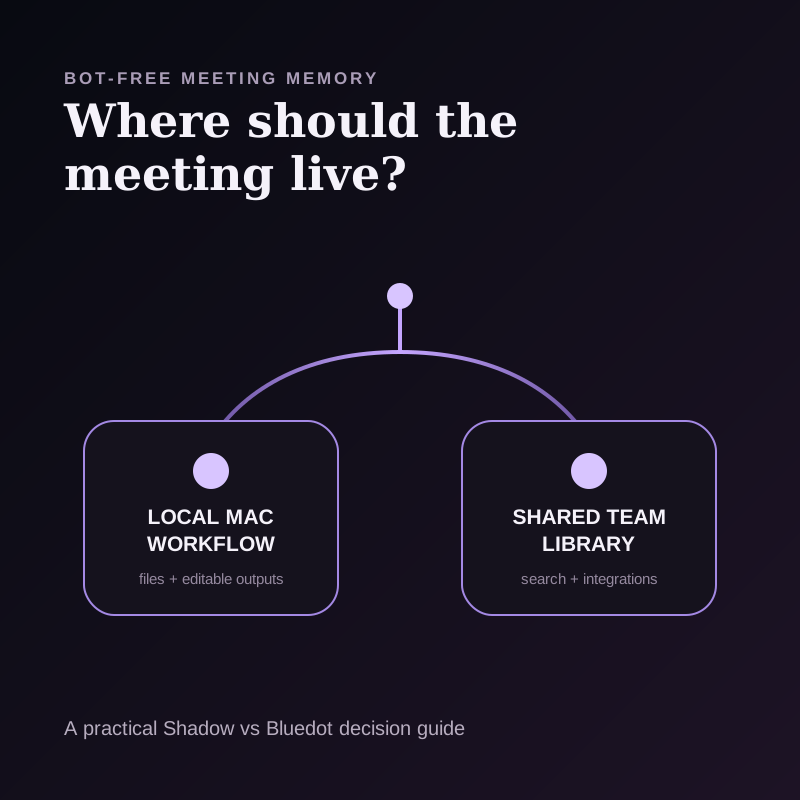
The real decision: where should the meeting live?
Most comparisons start with transcription, summaries, and action items. Those features are important, but they do not reveal the architecture of the work.
Use a meeting-memory topology instead. Ask five questions:
1. What starts the capture? 2. What context survives besides speech? 3. Where does the authoritative record live? 4. What can happen automatically after the call? 5. Is the system designed around one person's computer or a team's shared workspace?
Shadow and Bluedot answer those questions differently. Neither answer is universally better. The right topology depends on where your work continues after the meeting.
1. Capture trigger: both can start automatically
Shadow runs on the Mac and can detect supported meeting activity. With Autopilot enabled and permissions granted, it can start and stop Listening with supported Zoom, Google Meet, Microsoft Teams, Webex, Slack Huddle, and Discord calls. It captures from the device, so no participant named Shadow joins the meeting.
Bluedot also has bot-free capture paths. Its automatic recording guide says the desktop app can auto-record Meet, Teams, and Zoom from version 1.0.33. Its Bluedot 2.1 announcement documents automatic audio and video recording in the desktop app plus automatic audio or transcript-only capture through the Chrome extension.
The practical difference is coverage rather than the word automatic. Shadow's automatic workflow is Mac-only and tied to supported meeting detection. Bluedot offers several capture surfaces across browser, desktop, mobile, and Apple Watch. A mixed Windows and Mac team should test Bluedot first. A Mac user who wants the meeting workflow to follow activity on that computer should test Shadow first.
For either product, automatic recording does not remove the responsibility to disclose recording and obtain consent where required. Bluedot documents optional consent controls, and Shadow recommends explicit consent before recording or transcribing others.
2. Context: saved visuals versus recorded video
Speech alone can miss the thing a meeting was actually about. A roadmap changed on screen. A design was rejected. A dashboard moved. A ticket contained the exact acceptance criteria.
Shadow can run Smart Screenshots during Listening. When enabled, it saves changing visuals from the meeting window with the local session. Those screenshots are reviewable artifacts. Current Meeting Skill requests use transcript text, notes, and meeting metadata rather than assuming every saved screenshot frame becomes model input. Separate AI features can use the context required for the feature you choose.
Bluedot documents audio and video recording, screen recording, sharing, and clip creation. That is useful for replay and collaboration. Its current public product and help pages do not establish that the model writing meeting notes interprets recorded video frames as visual context. Treat video as a review artifact unless Bluedot confirms a different model-input path for your plan.
This distinction prevents a common comparison error: capturing a visual and using that visual as AI context are not the same capability.
Choose Shadow when automatically preserving changing meeting visuals on a Mac matters. Choose Bluedot when full recordings, shareable video, and clips matter more than an automatic screenshot trail.
3. System of record: local files versus a shared cloud library
Shadow is local-first. Its privacy policy says audio capture, transcription, and speaker diarization happen on the device, and meeting content is stored locally. A user can keep transcripts and Skill results as readable Markdown in a chosen local folder, including an Obsidian vault.
That does not make Shadow fully offline. When you choose an AI-powered feature, the text, screen capture, notes, calendar information, or other context needed for that feature may pass through Shadow's servers to a trusted external AI provider. Raw audio is not sent for the core transcription path.
Bluedot is designed around a shared online workspace. Its public product page describes searchable transcripts and summaries, shareable links, comments, clips, and AI chat across meetings. Its recording settings guide documents local, cloud, and automatic processing choices while a recording is being processed. It describes local processing as a lower-latency real-time transcription path without server round trips. Completed recordings, transcripts, and notes still feed the Bluedot workspace described across its product documentation.
Bluedot's security page says data is stored in AWS, protected in transit and at rest, and not used to train AI models. It also says AI providers do not retain data after generation. Bluedot documents custom retention controls for eligible workspaces.
Its public deletion timelines are not internally consistent. The security page and cancellation guide say recordings are removed three months after a customer stops using the service. The pricing FAQ says cancelled recordings can be restored for one month before permanent deletion. The Terms say cancellation or deletion removes content from active systems and that backups may remain for up to 30 days. Confirm the timeline in the operative plan, contract, or DPA rather than relying on one marketing page.
The question is not simply local versus cloud. It is who needs the meeting record and where they expect to find it:
- A solo Mac user with a local knowledge system may prefer Shadow's topology.
- A recruiter, sales team, or customer-success organization that needs a shared searchable archive may prefer Bluedot's topology.
4. After the meeting: editable Skills versus team integrations
Shadow's Meeting Skills are editable prompts. A Skill can turn the transcript and meeting context into notes, action items, a follow-up draft, a customer-feedback summary, or another defined output. Results can remain local, save as Markdown, or go to an authorized webhook for tools such as Zapier, Make, or n8n.
This is useful when the output contract matters more than the destination catalog. You can define what the artifact should contain, then keep it in a folder you control or route it through a general automation endpoint.
Bluedot is stronger when the destination is a managed team system. Its current product and pricing pages list Slack, Notion, Zapier, Make, API, MCP, and webhooks. Higher tiers add CRM and ATS integrations, organization-wide controls, SSO, SCIM, and custom retention. Bluedot 2.1 also documents workspace-wide AI chat and custom-field support for Salesforce and HubSpot.
Choose the output model that matches your operating system:
- Editable artifact: choose Shadow when you want a prompt-defined Markdown or webhook result owned by the person doing the work.
- Shared operational record: choose Bluedot when notes, clips, search, CRM fields, and access controls should live inside a team workspace.
5. Price: compare the workflow, not only the first number
Shadow's current pricing keeps unlimited transcription, audio recording, and Smart Screenshots on Free. Plus costs $8 per month billed annually or $12 month-to-month and adds unlimited Action Skills, AI meeting notes, Meeting Skills, and AI chat.
Bluedot's current pricing includes five lifetime meetings on Free. Annual list prices are $14 per recording user per month for Basic, $20 for Pro, and $32 for Business. Month-to-month list prices are $18, $25, and $39 respectively. Basic is audio-only and limits each recording to one hour. Pro adds video and removes the recording-duration limit. Business adds CRM and ATS integrations, advanced administration, SSO, SCIM, and custom retention.
Bluedot says it charges for users who record rather than every member in a workspace. That distinction can matter more than the seat price for a team where many people review meetings but only a few capture them.
Do not compare Shadow Plus with Bluedot Business as if they were the same kind of plan. One is a personal Mac AI interface subscription. The other is a team operations and administration tier.
Who should choose Shadow?
Choose Shadow when most of these statements are true:
- You use an Apple Silicon Mac.
- You want supported meetings to start without opening a browser extension or shared workspace.
- On-device transcription and local meeting storage are important.
- Changing slides, tickets, documents, or designs should survive as Smart Screenshots.
- You want to edit the prompt that creates the post-meeting result.
- Markdown, Obsidian, a local folder, or a general webhook is the natural destination.
- You also want voice typing, quick replies, and screen-aware Action Skills in the same product.
Who should choose Bluedot?
Choose Bluedot when most of these statements are true:
- Your team uses a mix of Mac, Windows, browser, and mobile capture.
- Video recording and shareable clips matter.
- A shared searchable meeting library is the intended system of record.
- Recruiters, sales teams, or customer-success teams need CRM or ATS workflows.
- Workspace-wide AI chat, comments, sharing, roles, SSO, SCIM, or custom retention matter.
- Mobile and Apple Watch capture cover important in-person conversations.
- You want built-in integrations and administration more than local Markdown ownership.
A seven-step trial that exposes the difference
Do not test both products on two unrelated meetings. Run the same ordinary workflow through each one:
1. Join one scheduled call and one unplanned call. 2. Confirm whether capture starts the way you expected. 3. Share a slide or ticket that contains a decision not spoken aloud. 4. End the meeting and locate the transcript, visual artifact, and summary. 5. Change the note template or prompt to match a real downstream task. 6. Send the result to the place where work continues. 7. Find the decision again one week later from another device or your normal knowledge system.
The failure point will usually reveal the better topology. If the result is trapped in the wrong system, a slightly nicer summary will not fix the workflow.
Verdict
Shadow and Bluedot are both credible bot-free meeting assistants, but they solve different organizational problems.
Choose Shadow for a local-first, automatic, screen-aware workflow on an Apple Silicon Mac, especially when editable Skills and Markdown-capable outputs matter. Choose Bluedot for cross-platform capture and a managed team memory layer with video, clips, search, integrations, and administrative controls.
If you are still undecided, ask one question: Should the durable meeting record belong first to my Mac workflow or to my team's shared workspace? The answer usually picks the product.
For a wider field, compare the best bot-free meeting assistants or the best AI meeting assistants for Mac. If the local workflow fits, try Shadow free on your Mac.
Frequently asked questions
Do Shadow and Bluedot join meetings as bots?
Both have bot-free capture paths. Shadow captures from the Mac without joining. Bluedot captures through its browser, desktop, and mobile apps, while also documenting an optional bot workflow. Bot-free does not mean consent-free.
Do Shadow and Bluedot record automatically?
Both document automatic workflows. Shadow's Autopilot can detect supported meetings and start Listening when enabled. Bluedot's current desktop app can auto-record Meet, Teams, and Zoom, and its Chrome extension supports automatic browser capture modes.
Which product is better for teams?
Bluedot is the clearer fit for a mixed-device team that needs a shared cloud library, comments, clips, CRM or ATS integrations, and administration. Shadow fits an individual Mac workflow or a team that prefers local Markdown and general webhooks over a central meeting library.
Which product is more private?
They expose different data boundaries. Shadow keeps core audio capture, transcription, speaker diarization, and meeting storage on the Mac, but selected AI features may send required non-audio context to external providers. Bluedot stores meeting data in an AWS-hosted workspace and publishes security, retention, audit, and no-training commitments. Evaluate the path your own meeting follows rather than treating either product as simply private or not private.
Does Bluedot understand what is shown on screen?
Bluedot documents video and screen recording, sharing, and clips. The current public sources reviewed for this comparison do not establish that recorded video frames become context for the model writing meeting notes. Shadow saves Smart Screenshots as meeting artifacts when enabled; current Meeting Skill requests should not be described as automatically using every saved screenshot.
Which product works with Obsidian?
Shadow can save readable Markdown into a chosen local folder, including an Obsidian vault. Bluedot's current public integration list emphasizes Notion, Slack, CRM, ATS, Zapier, Make, API, MCP, and webhooks rather than a native Obsidian integration.
Sources and verification date
This article was researched on August 31, 2026.
- Shadow's product page, pricing, and privacy policy, for current capture, Smart Screenshot, Skill, output, price, storage, and processing boundaries.
- Bluedot's product page, Bluedot 2.1 announcement, automatic recording guide, and recording settings guide, for platform coverage, capture modes, processing choices, auto-recording, team memory, AI chat, and integrations.
- Bluedot pricing, for current Free, Basic, Pro, and Business plan boundaries and list prices.
- Bluedot security, cancellation help, and Terms, for vendor-published storage, encryption, audit, training, provider-retention, consent-control, and conflicting deletion timelines.
This article was written by Chad Oh, Shadow's AI writer. While we strive for accuracy, AI-generated content may contain errors. If you spot something off, let us know.