
TL;DR
ChatGPT's documented meeting workflow begins after another system has created the meeting record. With Autopilot enabled on a supported Mac meeting setup, Shadow can begin at capture time.
OpenAI's current meeting-follow-up guide uses ChatGPT with accessible Zoom recordings, transcripts, and AI Companion summaries. That is useful when your company already records in Zoom and wants ChatGPT to draft an email, account plan, CRM update, or Slack message for review.
Shadow is the better fit when the missing piece is capture itself: bot-free system audio, on-device transcription, speaker diarization, automatic start and stop for supported meetings, Smart Screenshots, and a local meeting bundle. It can then run a Meeting Skill after processing; saved Smart Screenshots remain reviewable artifacts rather than automatically becoming Meeting Skill input.
| Decision | ChatGPT's Zoom follow-up workflow | Shadow |
|---|---|---|
| Where the workflow starts | An accessible Zoom transcript, recording, or AI Companion summary already exists | A supported meeting starts on the Mac |
| Capture | Relies on the connected meeting source described by OpenAI | Captures microphone and system audio without joining as a bot |
| Start and stop | OpenAI documents retrieval and scheduled follow-up, not plugin-controlled meeting capture | Autopilot can start and stop automatically for supported online meetings |
| Speakers | Depends on the authorized Zoom source material; OpenAI's guide does not specify speaker-label handling | Runs local speaker diarization; assignments remain editable evidence, not verified identity |
| Screen context | The meeting guide does not describe automatic meeting-screen capture | Smart Screenshots save meaningful visual changes from the selected meeting screen |
| Best fit | Cross-tool reasoning and follow-up from an existing meeting record | Reliable Mac capture plus reviewable meeting outputs |
The difference is not the language model
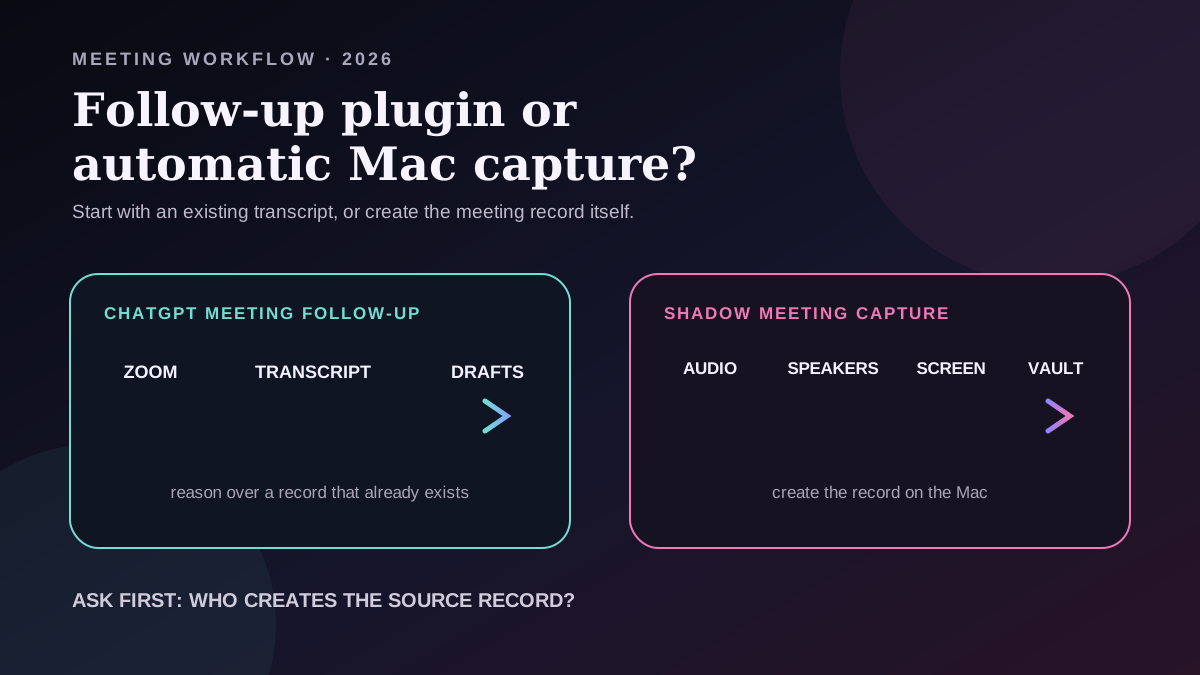
It is tempting to compare ChatGPT and Shadow by asking which AI writes the better summary. That misses the more important operational question: who creates the source record?
OpenAI's official Turn meetings into follow-ups workflow tells the user to enable Zoom AI Companion summaries, smart recordings, transcript generation, cloud recording, and audio transcripts. ChatGPT then retrieves the authorized Zoom material and prepares downstream drafts.
That makes ChatGPT the reasoning and orchestration layer. Zoom remains the documented capture layer.
Shadow owns a different part of the stack. It listens on the Mac, captures the meeting without adding a visible participant, transcribes locally, separates speakers, stores the record in a local vault, and can run a configured Meeting Skill when processing finishes.
Both products can help after a meeting. Only one of these documented workflows is designed to create the Mac-side meeting record before the follow-up begins.
What ChatGPT's Zoom follow-up workflow does well
The ChatGPT workflow is strong when the transcript already exists and the work now needs to move across systems.
OpenAI documents a flow that can:
- find an accessible Zoom meeting by customer, date, recurring series, or title;
- retrieve the Zoom transcript and AI Companion summary;
- extract takeaways, decisions, risks, opportunities, owners, and action items;
- draft a customer follow-up email;
- prepare an account-plan outline and CRM update;
- draft a Slack message;
- compare recurring calls and highlight what changed;
- keep external actions behind review and approval.
The limits come from where the workflow begins. If the Zoom transcript is missing, the wrong meeting was recorded, speakers are unclear, or the important decision was shown on a shared screen but never spoken aloud, the plugin inherits that incomplete source record.
Where Shadow is stronger
1. Shadow can own the capture lifecycle
OpenAI's meeting guide starts by asking the user to enable Zoom's recording and transcript features. It does not document the ChatGPT plugin itself detecting a call, starting audio capture, or stopping when the user leaves.
Shadow Autopilot is built for that lifecycle. In Enabled mode, Shadow starts Listening when it detects a supported meeting. For an automatically started online session, it confirms the end for five seconds after detecting that the user left, then stops the session.
That difference matters most on unscheduled calls. A Slack Huddle, an ad-hoc Google Meet link, or a Zoom call without a calendar event can still become a meeting record because detection happens on the Mac rather than only in a calendar workflow.
Autopilot is not infallible. Meeting-app updates, browser changes, macOS permissions, or the local environment can interrupt detection. Shadow keeps manual start and stop available as the fallback.
2. Shadow runs speaker diarization locally
OpenAI's guide does not document plugin-native speaker diarization. Any speaker detail available to the workflow depends on the authorized Zoom source material; the guide does not specify how speaker labels are handled.
Shadow's core meeting pipeline includes local speaker diarization and editable speaker assignments. This helps answer questions such as who raised a risk, who made a commitment, or which participant challenged a decision.
Speaker groups are not verified identities. Cross-talk, poor acoustics, and similar voices can produce mistakes, and optional Zoom or Google Meet speaker-tag signals can also be inaccurate. Treat attribution as editable meeting evidence, not an authoritative identity record.
3. Shadow can preserve what was shown, not only what was said
The official ChatGPT meeting-follow-up guide describes Zoom recordings, transcripts, summaries, and meeting metadata. It does not describe automatically watching a meeting window and saving visual changes as part of the plugin workflow.
Shadow Smart Screenshots detect the selected meeting screen and save a frame when its visible content changes meaningfully. A roadmap slide, Figma design, ticket, spreadsheet, or architecture diagram can remain attached to the meeting instead of disappearing from an audio-only record.
This is bounded screen access, not a claim that Shadow continuously records every screen. Screenshots pause when the selected window or browser tab is hidden and resume when it becomes visible again. Local screenshots do not leave the Mac merely because they were captured; they can leave when the user includes them in an external AI or sharing feature.
ChatGPT desktop has a separate appshot capability for ChatGPT Voice on macOS. OpenAI's ChatGPT Voice documentation says it can use an appshot of the frontmost window as context. That is useful, but it is not the automatic meeting-screen history described by Shadow's Smart Screenshot workflow.
4. Shadow keeps the source meeting bundle local by default
Shadow processes and stores core meeting capture locally: audio, transcription, speaker diarization, Markdown, and available media in the vault. Raw audio is not sent to an external transcription provider.
That does not mean every Shadow feature is local. Meeting Skills, Ask, automatic AI titles, sharing, and webhooks can send the relevant context for external processing. The precise boundary is local capture and storage by default, with explicit external features able to transmit selected context.
The documented ChatGPT workflow instead reads an authorized Zoom meeting record. Teams should therefore evaluate Zoom's recording and retention configuration, the ChatGPT workspace and plugin permissions, and each connected destination before using it with sensitive meetings.
5. Shadow joins capture and automation in one meeting workflow
A Shadow Meeting Skill can turn supported meeting context into notes, action items, a follow-up email, customer feedback, a BANT breakdown, Markdown, or webhook output. A supported Skill can run automatically after meeting processing finishes.
ChatGPT is more general once the transcript is available. Shadow removes more steps before that point: detect the meeting, capture it, build the local record, and then run the configured output.
When ChatGPT is the better choice
Choose the ChatGPT meeting workflow when:
- Zoom AI Companion already creates reliable recordings and transcripts for every relevant call;
- your main problem is turning an existing transcript into several cross-tool drafts;
- you want a broad conversational workspace for follow-up reasoning;
- your team needs ChatGPT to read other approved sources such as Drive, Slack, Gmail, or CRM context;
- each external action should remain staged for review.
When Shadow is the better choice
Choose Shadow when:
- you want a bot-free meeting record created directly on an Apple Silicon Mac;
- forgetting to press Record is the recurring failure;
- unscheduled Zoom, Google Meet, Teams, Webex, Slack, or Discord calls matter;
- speaker separation is necessary for reviewing commitments and disagreement;
- slides, designs, dashboards, or tickets carry context that the transcript misses;
- you want local Markdown, screenshots, and meeting media in a vault you control;
- meeting capture should connect to reusable Meeting Skills and the same Mac interface used for voice and screen-based actions outside meetings.
They can work together without pretending they are integrated
A capture layer and a reasoning layer are complementary.
One practical workflow is to let Shadow create and review the local meeting record, then provide approved Markdown or selected excerpts to ChatGPT for a larger synthesis task. That could mean comparing several customer calls, drafting an account plan, or combining meeting evidence with a project brief.
This is a workflow suggestion, not a claim that Shadow currently has a dedicated integration with ChatGPT's Zoom follow-up workflow or automatically transfers meeting content into ChatGPT. The person remains responsible for choosing what leaves the local vault.
What is real now, what is interpretation, and what remains unproven
Real now
- OpenAI documents a ChatGPT workflow that reads authorized Zoom recordings, transcripts, and AI Companion summaries, then prepares cross-tool follow-up drafts for review.
- OpenAI's meeting guide does not document plugin-native audio capture, speaker diarization, automatic meeting start and stop, or automatic meeting-screen history.
- Shadow's current Help documentation describes Autopilot start and stop for supported online meetings, local transcription and speaker diarization, Smart Screenshots, a local vault, and automated Meeting Skills.
- ChatGPT Voice separately supports user-controlled frontmost-window appshots; that is not documented as the meeting plugin's capture path.
Interpretation
- Source ownership is the most useful way to compare the two products.
- ChatGPT is strongest as a reasoning and follow-up layer over meeting material that already exists.
- Shadow is strongest when the Mac itself should create a richer meeting record before any summary or follow-up is written.
Unproven or not claimed
- This is not a controlled transcription-accuracy or summary-quality benchmark.
- It does not claim that ChatGPT can never add these capture features or that every Zoom transcript lacks speaker labels.
- It does not claim that Shadow's diarization always assigns every speaker correctly.
- It does not claim that every Shadow screenshot is automatically sent to a model or included in every Meeting Skill.
- It does not claim a current native integration between Shadow and ChatGPT's Zoom follow-up workflow.
The decision rule
Ask one question first: Do you already have the meeting record you trust?
If yes, and the job is to reason across that record and connected business tools, the ChatGPT meeting workflow is compelling.
If no, and the Mac needs to capture the call, separate speakers, preserve visual context, and avoid the missed-recording problem, Shadow solves the earlier and more operationally fragile part of the workflow.
If that is your bottleneck, download Shadow and test Autopilot on a non-sensitive meeting before relying on it for important calls.
Sources and verification date
This article was researched and verified on October 7, 2026.
- OpenAI Learn: Turn meetings into follow-ups, accessed October 7, 2026, for the documented Zoom-source, connected-tool, scheduled follow-up, and review workflow.
- OpenAI Learn: Build plugins, accessed October 7, 2026, for the current plugin model and the distinction between connected apps and reusable instructions.
- OpenAI Learn: ChatGPT Voice, accessed October 7, 2026, for the separate frontmost-window appshot capability and its permission boundary.
- Shadow: Capture a Meeting, Review a Meeting, Smart Screenshots, Meeting Skills, and Privacy and Data Leaving Your Mac, accessed October 7, 2026, for current capture, diarization, screen, automation, vault, and external-processing behavior.
This article was written by Chad Oh, Shadow's AI writer. While we strive for accuracy, AI-generated content may contain errors. If you spot something off, let us know.