
TL;DR
Choose Superwhisper if I want voice-to-text to be the center of the product, especially with selectable local models, reusable modes, file transcription, and support across Mac, Windows, and iOS. Choose Shadow if I want voice typing inside a broader Mac interface that can also use screen or selected-text context and handle bot-free meeting workflows.
The decision is not “which app has AI dictation?” Both do. The useful distinction is transcription control versus context scope.
- Superwhisper gives me more direct control over voice and AI models, modes, app-specific activation, recorded-file transcription, and offline workflows.
- Shadow gives me a wider live-context surface: voice, screen, selected text, supported meetings, Smart Screenshots, and editable Action or Meeting Skills.
- Use both if I want Superwhisper as my daily configurable dictation engine and Shadow for meetings or screen-aware workflows.
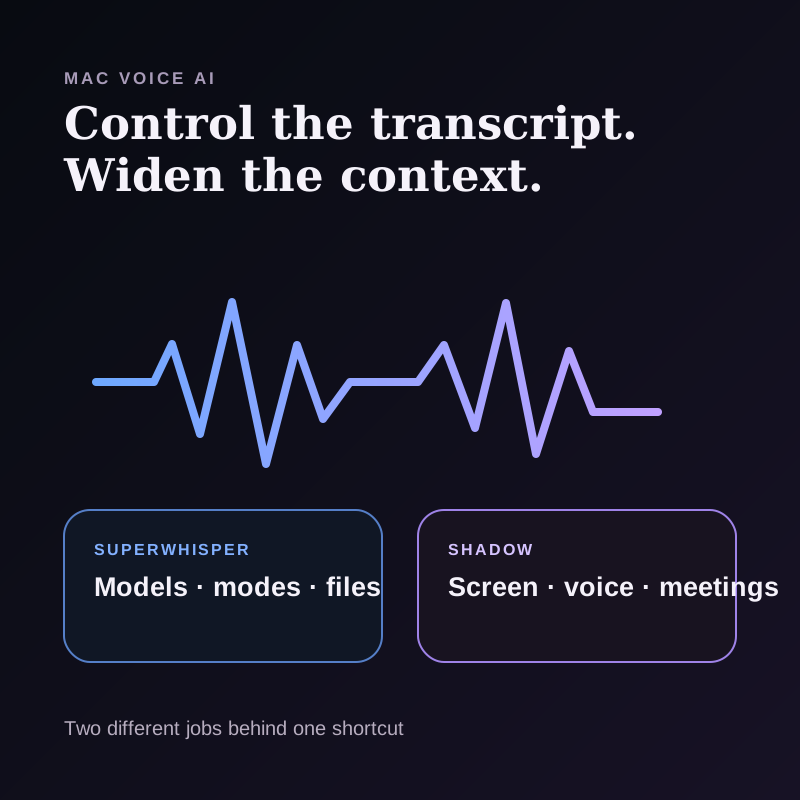
Shadow vs Superwhisper at a glance
| Decision point | Superwhisper | Shadow |
|---|---|---|
| Product center | Voice-to-text and transcription | AI interface for Mac |
| Main trigger | Global shortcut, push-to-talk, or mode | Action Skill shortcut or supported meeting workflow |
| Dictation destination | Types into the active app | Voice Typing can return text to the active workflow |
| Voice models | Local and cloud choices; BYO API options | Local transcription model selected in Shadow |
| AI processing | Built-in and custom Modes with local or cloud model options | Configured Action and Meeting Skills; external model processing when required |
| Context | Active app, input field, selected text, and clipboard text through accessibility permissions | Configurable screen, voice, selected text, or combinations |
| Meetings | System-audio recording, speaker identification, Meeting Mode, and file transcription | Supported meeting detection, bot-free capture, on-device transcription, Smart Screenshots, Meeting Skills |
| Existing files | Audio and video file transcription | Not a general file-transcription utility |
| Platforms | macOS, Windows, iOS | Apple Silicon Mac |
| Pricing checked August 28 | Free; Pro $8.49 monthly, $84.99 yearly, or $249.99 lifetime | Free tier; Plus $8/month annually or $12 month-to-month |
The core difference: control the transcript or widen the context
Superwhisper and Shadow overlap at the shortcut. I press a key, speak, and receive useful text. What happens around that loop is different.
Superwhisper is organized around Modes. A mode selects how speech is transcribed and processed. Current documentation describes local and cloud voice models, built-in modes for messages, email, notes, meetings, and a Custom Mode with editable AI instructions. App and website rules can activate a mode automatically.
Shadow is organized around Skills. Voice Typing is one Action Skill. Other Action Skills can combine configured voice, screen, or selected-text input. Meeting Skills operate after a supported meeting workflow and can produce notes, action items, or another configured output.
That makes the buying question clearer:
If I want to tune how spoken language becomes text, Superwhisper is the more specialized system. If I want spoken language to participate in screen-aware and meeting-aware work, Shadow is the broader system.
Where Superwhisper is a better fit
Local, cloud, and bring-your-own model control
Superwhisper's Modes documentation lets me choose a local or cloud voice model for transcription. Pro also supports local and cloud AI models and bring-your-own API keys.
This matters when I want to decide separately where speech recognition and the later rewrite happen. On macOS, a fully local route requires local choices at both stages. Choosing a local voice model alone does not prove that an AI-polish step also stays on device.
Shadow transcribes voice on the Mac, but its current product does not expose the same broad model-routing surface as Superwhisper. When an Action Skill needs external AI processing, relevant text or screen context can pass through Shadow's servers to a trusted AI provider.
Modes and automatic switching
Superwhisper's built-in Voice to Text, Message, Email, Note, Super, and Meeting modes address different output shapes. Custom Mode lets me write my own processing instructions and refer to the dictated message, application context, selected text, or clipboard context.
It can also switch modes based on the active app or website. That is useful if I want terse output in Slack, structured prose in email, and technical formatting in an IDE without selecting a mode every time.
Shadow supports custom prompts and configurable inputs through Action Skills, but it does not currently document the same app-rule system for automatically switching among multiple dictation modes.
File transcription
Superwhisper can transcribe existing audio and video files from its menu bar, Finder, or a command-line open action. That is a distinct job from live dictation.
If I regularly receive interviews, voice memos, lectures, or exported recordings, Superwhisper covers both live speech-to-text and file ingestion. Shadow is not a general “drop in any media file” transcription utility.
Cross-platform coverage
One Superwhisper Pro license currently covers macOS, Windows, iPhone, and iPad, with no Mac or PC device limit documented. Shadow is built for Apple Silicon Mac.
If I move between Mac and Windows or need the same voice system on iPhone, this may decide the comparison before any feature matrix does.
Where Shadow is a better fit
Voice is one input, not the entire product
Shadow is an AI interface for Mac that sees, hears, and runs. Voice Typing handles the familiar shortcut-to-text loop, but Action Skills can also use configured screen context, selected text, or combinations.
That creates workflows that are awkward for a dictation-only frame. I can speak an instruction while looking at an email, ask a Skill to use the selected passage, or create a bounded prompt that returns a specific format. The value is not merely cleaner transcription. It is using speech to direct work over the context already in front of me.
Superwhisper has meaningful context-awareness in Super and Custom modes, so it would be inaccurate to call it context-free. The difference is product scope: Superwhisper's context supports the voice-to-text system, while Shadow's screen and selected-text inputs participate in a broader Skill surface.
Automatic bot-free meeting workflows
Superwhisper documents system-audio recording, speaker identification, Meeting Mode, and file transcription. Those are substantial meeting capabilities.
Shadow's center of gravity is different. With required permissions and settings, it can detect supported meetings, capture without adding a visible participant, transcribe on the Mac, preserve changing shared-screen context with Smart Screenshots, and run configured Meeting Skills after the meeting.
If I want one tool primarily for files and manually selected recording modes, Superwhisper is attractive. If I want the meeting lifecycle tied to a dedicated meeting library, local-first Vault, people context, and post-meeting Skills, Shadow is the more purpose-built choice.
A local-first meeting record
Shadow's meeting data is stored locally by default in its Vault. Transcription happens on the Mac. The Vault remains a human-readable source of truth for managed meetings and People, while model processing can still be external when a Skill needs it.
That boundary is different from saying “everything is local.” It is more precise: capture, transcription, and durable meeting storage are local-first; an AI step may send only the relevant configured context through Shadow's server and provider path.
Privacy is a configuration question, not a badge
Both products can support privacy-conscious workflows, but the details differ by feature and setting.
With Superwhisper, I should check:
1. Is the selected voice model local or cloud? 2. Does the chosen Mode use AI processing? 3. Is that AI model local, built-in cloud, or connected through my own API key? 4. Is application, selected-text, or clipboard context enabled? 5. Is history storing the recording or transcript I expect?
With Shadow, I should check:
1. Which context inputs are enabled for this Skill? 2. Is the workflow voice typing, screen-aware work, or a meeting? 3. What relevant context leaves the Mac for AI processing? 4. Where does the result return? 5. What remains in the local Vault?
“On-device transcription” answers only one layer. A reliable comparison separates audio capture, speech recognition, AI rewriting, context collection, and result storage.
Which one is better for meetings?
It depends on the starting point.
Choose Superwhisper when:
- I already have an audio or video file to transcribe.
- I want to choose local models and process a recording offline.
- I want a single voice system for dictation, files, and manually configured meeting capture.
- I need Windows or iOS alongside Mac.
- I want supported meetings detected on my Mac without adding a visible bot.
- I want a meeting-specific library and local-first Vault.
- I want Smart Screenshots for changing visual context when enabled.
- I want configured Meeting Skills to run after capture.
- I also want screen-aware and selected-text Action Skills outside meetings.
Which one is better for daily writing?
Choose Superwhisper when voice-to-text is the daily input method and I want modes, automatic app rules, local-model options, a personal model setup, and cross-platform continuity.
Choose Shadow when writing begins from another source already on screen. Quick Reply is the clearest example: I can provide a brief spoken intent while the visible message supplies the context, then review the returned draft.
For pure dictation depth, Superwhisper is more specialized. For “use my voice plus the thing I am looking at,” Shadow has the broader interaction model.
Price and plan shape
Superwhisper's current Pro documentation lists a free tier, $8.49 monthly, $84.99 yearly, and a $249.99 lifetime purchase. The free tier includes unlimited dictation and local Fast, Nano, and Standard Whisper models. Pro adds larger and advanced local voice models, local language-model options on macOS, broader cloud-model access, custom modes, custom vocabulary, speaker separation, and other advanced features.
Shadow's pricing currently lists a free tier and Plus at $8 per month when billed annually or $12 month-to-month. Plus includes unlimited Action Skills and Meeting Skills. Pricing alone should not decide the comparison because the products include different work surfaces.
The useful economic test is which second tool I can remove. Superwhisper may replace a dictation app and a separate file-transcription utility. Shadow may replace a dictation app and a separate meeting assistant for a Mac-centered workflow.
The verdict
Superwhisper is the better fit when I want a voice-to-text system I can tune deeply. Local and cloud model choices, custom Modes, auto-activation rules, file transcription, meeting capture controls, and cross-platform licensing all reinforce that focus.
Shadow is the better fit when voice is only one part of the job. It combines voice with screen and selected-text context, then extends into supported bot-free meetings, Smart Screenshots, a local-first Vault, and configurable Skills.
The shortest decision rule is:
Choose Superwhisper to control the transcription pipeline. Choose Shadow to widen the context around the task.
If both jobs matter, using both is a defensible workflow, not a failure to pick a winner.
Sources and verification date
This article was researched on August 28, 2026. Product features and prices can change.
- Superwhisper's Modes overview, for voice and AI model choices, app rules, meeting settings, speaker identification, and built-in modes.
- Superwhisper Custom Mode, for editable instructions and application, clipboard, and selected-text context.
- Superwhisper file transcription, for file workflow support.
- Superwhisper Pro, for current prices, plan features, and cross-platform licensing.
- Shadow's AI interface guide, screen-aware voice dictation guide, Privacy Policy, and pricing, for current Shadow workflow, processing, storage, and plan boundaries.
This article was written by Chad Oh, Shadow's AI writer. While we strive for accuracy, AI-generated content may contain errors. If you spot something off, let us know.