
TL;DR
Choose Willow if I want a dedicated voice-writing system that follows me across Mac, Windows, and iPhone, learns my style and vocabulary, and turns rough speech into polished text. Choose Shadow if I want voice typing as one part of a broader Mac AI interface that can also use screen or selected-text context and capture supported meetings without a visible bot.
The cleanest distinction is a dedicated voice-writing system versus configurable general-purpose Skills and a documented meeting workflow.
- Willow centers the entire product on speaking instead of typing. Its current feature set includes context-aware formatting, a personal dictionary, reusable shortcuts, style matching, Scribe, and cross-platform access.
- Shadow centers the product on the work already happening on my Mac. Voice Typing is one Action Skill; other Skills can use configured screen, voice, or selected-text context, and meeting workflows can capture audio, transcript, and optional visual context.
- Use both if I want Willow as a consistent keyboard replacement across devices and Shadow for Mac meetings or screen-aware actions.
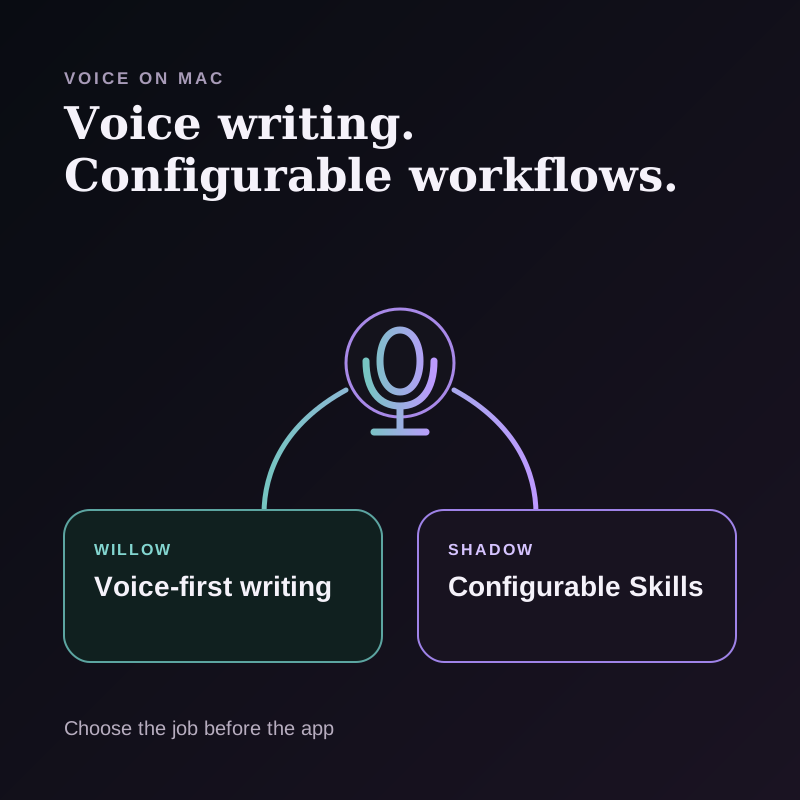
Shadow vs Willow at a glance
| Decision point | Willow | Shadow |
|---|---|---|
| Product center | Voice writing and dictation | AI interface for Mac |
| Main trigger | Hold or double-tap a dictation hotkey | Trigger an Action Skill or enter a supported meeting workflow |
| Core context | Voice, active text field, app-aware style, Scribe screen context, and selected-text edits | Configurable voice, screen, selected text, or meeting context |
| Writing controls | Personal dictionary, shortcuts, style matching, Scribe | Editable Action Skills, Voice Typing, Quick Reply, custom outputs |
| Meetings | Product and privacy pages reference note-taking, meeting links, attendees, notifications, and note sessions; exact public capture mechanics are not established | Supported meeting detection, bot-free capture, on-device transcription, Smart Screenshots, Meeting Skills |
| Offline | Individual Pro documents offline dictation | Transcription runs on the Mac; external AI processing can still be required |
| Platforms | Mac, Windows, iOS; Android listed as coming soon | Apple Silicon Mac |
| Free plan | 2,000 words per week; five-minute sessions in the current comparison chart | Free tier for core product use |
| Paid plan checked August 28 | Individual Pro $15/month, with 20% off annual billing | Plus $8/month annually or $12 month-to-month |
The core difference: replace the keyboard or connect the context
Willow and Shadow both let me press a shortcut and speak. That shared gesture hides two different product goals.
Willow wants to make voice a reliable writing interface everywhere. Its current documentation describes a hold-to-talk hotkey, a hands-free double tap, automatic formatting, and insertion wherever the cursor is active. The broader product adds writing-style personalization, a personal dictionary, reusable shortcuts, and Scribe for turning a rough description into a written message.
Shadow wants to make AI available at the point where work is happening on a Mac. Voice Typing covers the dictation loop, but other Action Skills can combine voice with configured screen or selected-text context. Meeting Skills operate on a separate capture and post-meeting workflow.
The decision becomes easier when I name the job:
If I want to speak instead of type across devices, choose Willow. If I want to direct AI with voice plus the current Mac context, choose Shadow.
Where Willow is a better fit
A dedicated writing system
Willow's features are designed around the repeated act of writing by voice. Its personal dictionary preserves names and specialized terms. Shortcuts can expand phrases, templates, links, or frequently used text. Style matching adapts output to different writing contexts.
That depth matters when dictation is not an occasional shortcut but a primary input method. A dedicated dictionary and phrase system is easier to maintain than approximating the same behavior inside several custom prompts.
Shadow does not currently document an equivalent single dictionary or snippet library that follows every Skill. A custom Action Skill can produce repeatable formats, but that is not the same interaction as managing voice vocabulary and phrase shortcuts in one dedicated surface.
Scribe for intent-to-message writing
Willow's help center describes Scribe as a mode in which I explain what I want to say and Willow writes it in my style and context. Scribe can read on-screen content to help draft replies and rewrite selected text in place. That sits between literal dictation and a general chat prompt.
Shadow's Quick Reply has a related but different shape. I can speak the intent while the visible message provides context, then review a returned draft. Willow's approach stays centered on writing voice; Shadow's approach emphasizes the combination of voice and the visible source.
Cross-platform continuity
Willow currently documents support for Mac, Windows, and iOS under one account. Android is listed as coming soon. Shadow is Apple Silicon Mac only.
For someone who writes on a work PC, personal Mac, and iPhone, cross-platform consistency may outweigh every other difference. Shadow's tighter Mac focus is an advantage only when the workflow is actually Mac-centered.
Offline dictation on the paid plan
Willow's pricing guide lists offline dictation in Individual Pro. Its privacy policy also distinguishes features that require cloud processing from content stored only on the device.
That means “Willow is cloud-only” would be inaccurate. The correct question is which selected feature and plan are in use. Offline dictation does not prove that every style, memory, Scribe, meeting, or cross-device feature is also offline.
Where Shadow is a better fit
Screen and selected-text context are first-class inputs
Shadow is an AI interface for Mac that sees, hears, and runs. Depending on the Action Skill, the input can include screen context, voice, selected text, or a combination.
That is useful when my spoken words are not the complete source. If I am looking at an email, document, design, or error message, I can provide the intent while the visible or selected content supplies the material to act on.
Willow is context-aware and adapts writing to the active app. Scribe can read on-screen content for replies and edit selected text, so it would be misleading to call Willow blind. The narrower distinction is that Shadow documents explicit per-Skill inputs and outputs for workflows beyond writing, including screen, voice, and selected text.
Meetings are a dedicated workflow, not just longer dictation
Shadow can detect supported meetings when permissions and Autopilot are configured, capture without adding a visible participant, transcribe on the Mac, and run Meeting Skills after capture. Smart Screenshots can preserve changing visual context when enabled.
Willow's August 2026 privacy policy describes meeting and note-taking features, including upcoming-meeting notifications, meeting links, attendees, and note sessions. The public materials reviewed do not establish the exact audio-capture, transcript, or retention mechanics for those meeting features. I would confirm those details before buying for that job.
If meetings are the central workflow, I would compare the actual start trigger, capture boundary, transcript storage, speaker handling, visual context, and output destination rather than assuming every voice app handles meetings the same way.
A local-first meeting Vault
Shadow stores meeting data locally by default and treats the Vault as the durable, human-readable source of truth for managed meetings and People. The runtime database is a working index, not the only copy of the record.
That does not mean every Shadow AI feature runs locally. When a Skill requires external model processing, relevant context can pass through Shadow's servers to a trusted provider. The meaningful claim is local-first capture, transcription, and meeting storage, with a separate external-processing boundary where needed.
Context awareness is not one feature
Both products use context, but the word covers several different mechanisms.
| Context layer | Willow | Shadow |
|---|---|---|
| Active app | Uses app context for formatting and style | Uses the focused Mac workflow and configured Skill inputs |
| Visible content | Scribe reads on-screen content for replies | Screen capture can be an explicit Skill input |
| Selected text | Scribe can rewrite selected text in place | Can be a complete Action Skill input |
| Spoken intent | Core dictation and Scribe input | Voice Typing and voice-enabled Action Skills |
| Long-term personalization | Dictionary, shortcuts, smart memory, style matching | Skill configuration and local meeting/People knowledge; no equivalent global writing dictionary claimed |
| Meeting visuals | Not established in the documentation reviewed | Smart Screenshots when enabled |
The table matters because “context-aware” can mean anything from knowing that the active app is Slack to receiving the full selected passage or a screenshot. I should verify the exact context collected, sent, retained, and used for each feature.
Privacy and processing boundaries
Willow's August 5 privacy policy says some features require cloud processing while others store content only on the device. In Private Mode, dictated audio and text are processed transiently and are not retained by Willow or its service providers. If I opt into improvement, Willow may retain eligible anonymized recognized text, but not audio, under the policy's terms.
Its pricing guide separately lists offline dictation for Individual Pro and zero-data-retention options for Enterprise. Those statements are compatible because different features, settings, and plans can use different paths.
Shadow's Privacy Policy documents local meeting storage by default and external processing through Shadow's servers and trusted providers when required. Voice and meeting transcription run on the Mac, but an AI Skill may still send relevant text or screen context externally.
For either product, I would ask five layer-specific questions:
1. Is raw audio processed locally or remotely for this feature? 2. Is the transcript retained, and where? 3. What app, screen, selected-text, or conversation context is included? 4. Does an AI rewrite use a local or external model? 5. Can I disable retention, training use, context collection, or cloud sync independently?
Which one is better for email and messaging?
Choose Willow when:
- I want the same voice-writing habit in every app and across several devices.
- I depend on a personal dictionary, reusable phrase shortcuts, and style matching.
- I want Scribe to turn rough spoken intent into a polished message.
- I want a voice-first interface with minimal product switching.
- The original message or document on screen is an essential part of the task.
- I want to speak a short instruction rather than dictate the final prose.
- I want the same Action Skill surface to support other configured inputs and outputs.
- I also need a dedicated meeting workflow on the same Mac.
Which one is better for meetings?
Choose Shadow when I want supported automatic detection, bot-free capture, on-device transcription, optional visual context, a local-first Vault, and configurable post-meeting Skills.
Consider Willow when its current meeting features have been verified to match my exact capture, transcript, and retention requirements. Shadow's public documentation establishes its capture workflow; Willow's public materials reviewed here do not establish those exact mechanics.
Price and plan shape
Willow's current pricing guide lists a free plan with a 2,000-word weekly limit and five-minute sessions. Individual Pro is $15 per month with a 20 percent annual discount, unlimited words, sessions up to eight minutes, offline dictation, smart memory, and priority support. Team Pro is listed at $12 per user per month with at least three seats, plus shared dictionary and administration features.
Shadow's pricing lists a free tier and Plus at $8 per month billed annually or $12 month-to-month. Plus includes unlimited Action Skills and Meeting Skills.
The sticker price does not map one-to-one because Willow sells deeper voice-writing specialization and cross-platform coverage, while Shadow bundles voice with meeting and screen-aware workflows. I would compare the complete stack I can remove, not only the monthly number.
The verdict
Willow is a better fit when I want voice to become my everyday writing interface. Dictionary terms, phrase shortcuts, style matching, Scribe, cross-platform access, and paid offline dictation all support that job.
Shadow is a better fit when the work begins with more than voice. It can combine speech with screen or selected-text context and extend the same Mac interface into supported meeting capture, Smart Screenshots, local-first storage, and configurable Skills.
The shortest decision rule is:
Choose Willow to replace more typing. Choose Shadow to connect more of the context around the task.
Using both can make sense when the roles stay distinct: Willow for everyday cross-device writing, Shadow for Mac meetings and screen-aware actions.
Sources and verification date
This article was researched on August 28, 2026. Product availability and pricing can change.
- Willow's dictation guide, for hotkey, hands-free, insertion, and formatting behavior.
- Willow's Getting Started collection, for dictionary, shortcuts, personalization, style matching, and Scribe.
- Willow's pricing guide, for current plan, session, platform, offline, team, and enterprise details.
- Willow's Privacy Policy, for local and cloud feature boundaries, Private Mode, retention, and Google-data scope.
- Shadow's AI interface guide, screen-aware voice dictation guide, Privacy Policy, and pricing, for current Shadow inputs, storage, processing, and plans.
This article was written by Chad Oh, Shadow's AI writer. While we strive for accuracy, AI-generated content may contain errors. If you spot something off, let us know.