
TL;DR
Use AI meeting notes to find possible commitments, then have the account owner verify each one before it becomes a promise or task. A customer saying “we need a fix by Friday” is a request. An engineer saying “we could try a workaround” is a proposal. Neither is a confirmed delivery commitment.
The practical chain is source → statement → authority → action → checkpoint. Save the source reference, classify what was actually said, name who can approve the next step, route approved work to its system of record, and set the next customer update. This guide includes a copyable ledger, a bounded AI prompt, and a review drill for onboarding, renewal, and escalation calls.
It is for Mac-based customer success managers and founders who want a reliable record of what changed during a call. If you are choosing a capture tool first, see our customer-success meeting assistant comparison. This page owns the post-call commitment workflow rather than vendor selection.
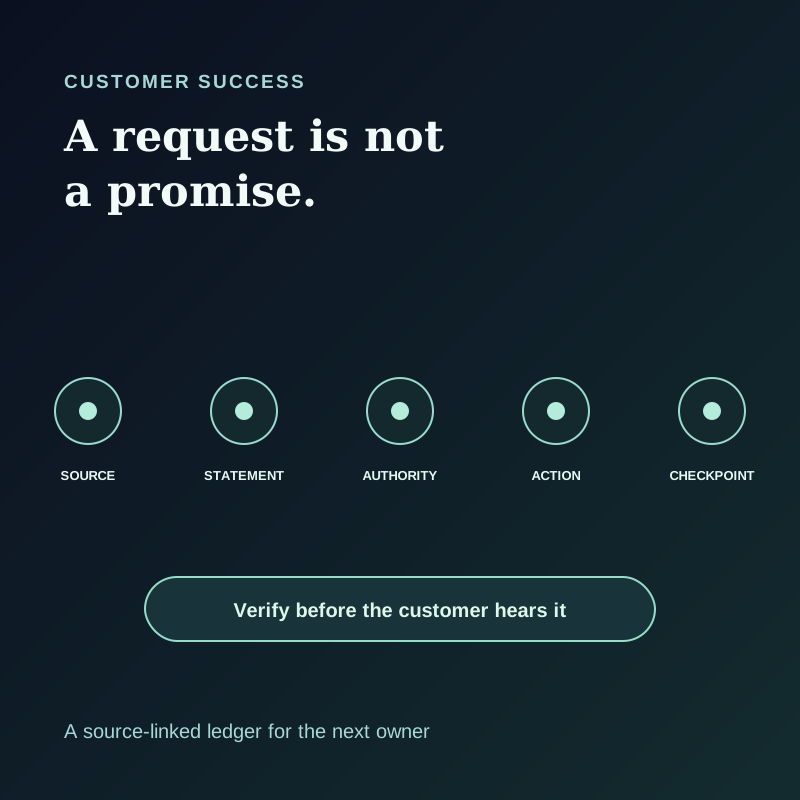
The failure: a polished recap can invent a promise
A summary often says “the team will fix reporting by Friday” because it compresses a customer request, a possible workaround, and an internal discussion into one tidy sentence. The call may never have established that date, owner, scope, or approval.
That error has consequences. The next CSM may repeat an unapproved date. Support may start the wrong task. The customer may hear an expectation that nobody owns. Conversely, a real commitment may be buried in a transcript and never reach the person who must act.
This is why the distinction between a meeting record and an operating record matters. GitLab's public CSM account-handoff checklist tells an incoming owner to review meeting notes, success plans, open tasks, and support tickets, and to discuss gaps with the outgoing CSM. Gainsight's CTA, task, and playbook documentation separates Timeline activity from tasks that progress customer work. Those are concrete examples of why a transcript or recap alone does not transfer ownership.
The ledger below is an editorial workflow, not a feature that Shadow, GitLab, or Gainsight automatically creates.
Classify the statement before assigning work
Use six states. The status describes what is authorized now, not how urgent the sentence sounded.
| State | What it means | Next review question |
|---|---|---|
| Request | The customer asks for an outcome or deadline | Who must assess feasibility and scope? |
| Proposal | Someone suggests a path without accepting it | Which owner can approve or reject it? |
| Approved promise | An authorized owner confirms a customer-facing commitment | What exact scope and date were communicated? |
| Assigned work | A task has an owner and destination | Does the task match the approved promise? |
| Delivered | The owner reports completion with evidence | Has the customer received a checked update? |
| Closed | The customer or accountable owner accepts the result and follow-up | Is the outcome recorded in the account system? |
The sequence is not automatic. A request can be rejected or deferred. A proposal can be revised. An approved promise can require several tasks. Delivered work may not resolve the customer's problem. Keep a separate “open question” flag for ambiguous words, missing approvers, or contradictory sources.
Avoid turning a health score, churn prediction, renewal forecast, or sentiment label into a meeting fact. Those judgments need their own authorized data and decision owner. A customer saying “we are frustrated” is evidence of a concern; it does not by itself establish account health or an imminent cancellation.
Illustrative example: a reporting problem
This synthetic call shows how the ledger prevents a false promise:
>Customer: “Our regional report is failing. We need it working before Friday's review.”
>CSM: “I will ask Support to examine the report today. I can update you tomorrow after they assess it.”
Engineer, in the later internal huddle: “A filter workaround may help, but we have not tested it.”
Record four different entries:
| Source statement | State | Approved next move |
|---|---|---|
| “We need it working before Friday” | Request | CSM asks Support to assess impact and feasibility; no fix date promised |
| “I will ask Support to examine the report today” | Approved promise, if the CSM has communication authority | CSM sends the request to Support today; Support has not yet accepted a fix task |
| “I can update you tomorrow” | Approved promise, if the CSM has communication authority | CSM sends a checked progress update tomorrow |
| “A filter workaround may help” | Proposal | Engineer tests it before anyone recommends it |
The customer update should say what is known, who is investigating, and when the next update will arrive. It should not convert the untested workaround into a solution. Atlassian's incident communication tips emphasize early acknowledgment, known impact, precise updates, and consistency across channels. Apply that discipline to a customer escalation without presenting this ordinary reporting problem as a confirmed incident.
Copy the source-linked ledger
Keep one row per meaningful statement or decision. Use a source reference that your authorized team can open. A timestamp, meeting-note line, approved ticket, or message link is useful; a generated quote with no recoverable source is not.
| Field | Record |
|---|---|
| Account and call | The approved account identifier, call date, meeting type, and record owner |
| Source | Transcript timestamp, note line, ticket, or approved message; identify the authorized reader |
| Statement | A short faithful excerpt or paraphrase, labeled as such |
| State | Request, proposal, approved promise, assigned work, delivered, or closed |
| Scope | The exact outcome, affected workflow, exclusions, and uncertainty |
| Authority | Person or team permitted to approve the promise, remedy, date, or message |
| Action destination | Support ticket, success-plan task, CRM activity, or another team-owned system |
| Owner and due date | Named owner and review time, if approved |
| Customer checkpoint | Who will update the customer, through which approved channel, and when |
| Verification | Reviewer, source check, and status of unresolved questions |
A generic AI summary can omit the source, authority, and customer checkpoint. A useful ledger makes a reviewer able to answer: “What exactly did we agree, who agreed to it, and what can we safely say next?”
For a sales-to-CS handoff, bring the CRM opportunity and contract into the review. A sales promise may be outside the meeting transcript or narrower than the customer's recollection. For a technical escalation, use the support ticket or incident owner as the destination and keep customer communication with the designated owner. For a routine onboarding check-in, a success-plan task may be enough.
Run the workflow in five passes
1. Set the capture and sharing boundary
Tell participants what will be recorded and obtain the consent required where everyone is located before Listening begins. Shadow's recording-consent guidance recommends explicit consent from everyone as the safest default. Bot-free capture does not waive disclosure.
Decide what the account team may retain and who may review it. Shadow's privacy and data guide says core meeting capture, transcription, diarization, Markdown, and available media are processed and stored locally. Optional AI features, sharing, and webhooks can send selected content externally. If your customer agreement or team policy permits local notes but not external AI processing, use the ledger manually or with an approved local tool. Do not paste private transcripts into an unapproved service just to run the prompt below.
2. Preserve the right source context
Keep the transcript or notes, plus the authorized artifact that explains a visual issue. A customer may say “this number is wrong” while showing a dashboard. The words alone do not identify the report, filter, or date range.
Shadow's Smart Screenshots guide documents screenshots of meaningful changes on the selected meeting screen while Listening is active and a capture target is available. It does not promise every screen state. Check that the right target is selected, and preserve only content your team is allowed to retain. Speaker groups are not verified identities; confirm who made an important statement before naming them in a customer-facing record.
3. Ask AI for candidates, not conclusions
When external AI use is authorized for the specific content, give the model only the approved record and a narrow extraction task:
``text
From the approved meeting record, list each customer request, proposal,
possible promise, and follow-up. For each, return the source timestamp or
note reference, speaker as labeled in the source, a faithful short excerpt,
the proposed state, missing authority or scope, and a review question.
Do not infer a fix date, owner, approval, account health, renewal outcome, or completed task. Mark anything ambiguous as NEEDS REVIEW. Do not invent quotes, timestamps, identities, tickets, or decisions. ``
This prompt is a template for reviewer assistance. It does not guarantee accurate extraction. Compare the output with the source and reject rows without a recoverable reference.
4. Approve, route, and communicate separately
The account owner checks the source, customer-facing words, and authority. The task owner checks feasibility. The designated communication owner approves the message. These can be the same person in a small team; write the role anyway.
Put approved tasks in the actual work destination, rather than treating a Markdown bullet as completion. Shadow's Meeting Skills guidance documents Markdown results and configurable webhooks, but a webhook only transmits to a destination you control; it does not verify CRM fields, support-ticket status, or promise approval. Review the payload and receiving service before enabling an external destination for customer content.
Keep the internal ledger and the customer update as separate artifacts. The internal row may contain uncertainty, a rejected proposal, or a routing question. The customer message should contain only checked facts and commitments the owner is allowed to communicate.
5. Recheck at the next checkpoint
At the promised update time, check the task and source of truth. If the fix is still under investigation, say so and set the next approved update. If work is delivered, confirm whether it addresses the customer's original request before closing the row. Carry unresolved requests and approved promises into the next CSM handoff.
GitLab's account-handoff checklist explicitly asks the new CSM to review open tasks and support tickets and to meet with the outgoing owner when context is missing. The ledger gives that conversation a short, inspectable agenda; it does not replace the account system.
A short review drill for a real call
Before standardizing this workflow, test it on an authorized call with at least one ambiguous request and one real follow-up. Ask two reviewers independently to identify the requests, approved promises, task owners, and customer update checkpoint. Compare their answers to the transcript or source notes and the account system.
| Check | Pass condition |
|---|---|
| Promise accuracy | No request or proposal was presented as an approved promise |
| Source recovery | Another authorized reviewer can find each cited statement |
| Owner clarity | Every approved task has a real owner and destination |
| Message safety | The customer update contains only checked facts and authorized commitments |
| Handoff usefulness | A new CSM can find the next action and open question without replaying the whole call |
Record misses and correct the template. Do not report a fabricated accuracy percentage from this example, and do not use a generated sentiment or health label as a proxy for a renewal outcome.
What is real, what is interpretation, and what is unproven
Real now: Shadow's current Help documentation describes local meeting capture and vault files, optional Smart Screenshots, reviewable speaker groups, and Meeting Skills that can write Markdown or send results to configured webhooks. GitLab, Gainsight, and Atlassian publish the operational and communication practices cited above.
Interpretation: The six-state ledger and five-pass workflow are this article's proposed way to connect those practices. The value comes from a team adopting it and checking each row, not from a model naming a state.
Unproven: This article does not claim Shadow automatically classifies commitments, approves remedies, writes verified CRM records, predicts renewal risk, or maintains a shared account memory. It does not claim the ledger reduces churn or improves conversion without a measured team pilot.
If the record and review boundary fits your Mac workflow, download Shadow and start with an authorized call. Keep the final account decisions and customer promises with the people who own them.