
TL;DR
Choose Shadow if you use an Apple Silicon Mac running macOS 14.2 or later and want the durable meeting record in local Markdown, optional Smart Screenshots as visual context, and editable Meeting Skills that can save a result or send it to a webhook. Choose Notion AI Meeting Notes if the meeting should begin and stay inside a shared Notion workspace, with native pages, databases, permissions, calendar context, transcripts, summaries, and action items.
Both products can capture a virtual meeting through your computer without adding a visible bot. That similarity makes a simple feature checklist less useful. The real decision is where the meeting becomes durable and who should control what happens next.
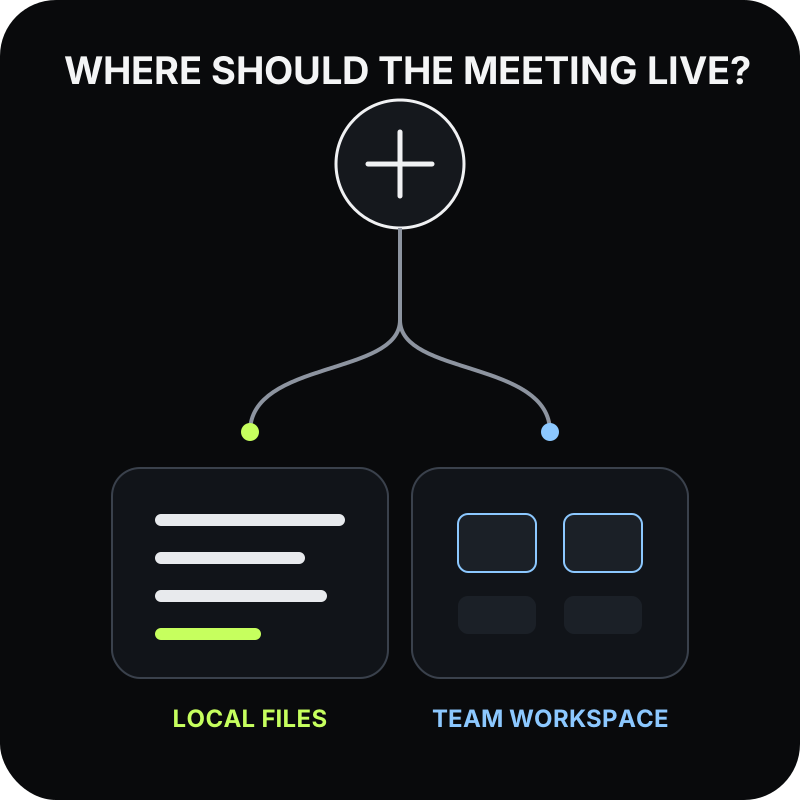
- Shadow is a personal Mac workflow. Core capture and transcription stay on the Mac, the meeting bundle lives in a local vault, and the user chooses when to send context to an AI or webhook.
- Notion AI Meeting Notes is a workspace-native workflow. The transcript and summary live on a Notion page, can be organized in a default meeting database, and follow Notion sharing and administration rules.
Quick comparison
| Question | Shadow | Notion AI Meeting Notes |
|---|---|---|
| Best fit | An individual Mac user who wants local, inspectable meeting files and configurable outputs | A team that already treats Notion as its shared workspace and system of record |
| Platforms | Apple Silicon Mac running macOS 14.2 or later | Desktop app version 4.7.0 or later on macOS 13 or later, Windows, plus browser and mobile capture with different audio limits |
| Bot-free virtual-call capture | System audio and microphone from the Mac | System audio and microphone in the desktop app |
| How capture starts | Manual, Ask Me, or Autopilot for supported detected meetings | /meet, Notion Calendar entry points, or a desktop meeting-detection prompt |
| Visual context | Optional Smart Screenshots can preserve meaningful changes from a selected meeting screen | The meeting product documents audio capture; screen-recording permission on macOS is used to access system audio, not to create meeting screenshots |
| Durable record | Local Markdown and available media in the user's vault | A Notion page or default meetings database with transcript, notes, and summary |
| AI processing boundary | Core transcription is local; Meeting Skills and other selected AI features send relevant context to Shadow's AI providers | Live audio is sent to Notion subprocessors for real-time transcription; the transcript and summary remain in the Notion workspace |
| Sharing and governance | Local by default, with user-chosen Markdown, Share to Web, or webhook destinations | Page permissions, optional internal auto-sharing, workspace availability controls, and Enterprise transcript-retention settings |
| Paid entry for full AI notes | Plus is $8/month billed annually or $12 month-to-month | Full AI Meeting Notes requires Business or Enterprise, with an eligible-mobile-subscription exception; the US pricing page displayed Business at $20/member/month billed annually when reviewed |
The shortest answer: choose the home of the record
If the final meeting record should be a Notion page that teammates can search, comment on, link to projects, and govern with workspace permissions, start with Notion AI Meeting Notes.
If the record should remain an ordinary set of files on your Mac, with Markdown that you can inspect, back up, edit, or open in another tool, start with Shadow. The documented workflow reviewed here can send a selected Meeting Skill result through a webhook and into a separately configured Notion automation.
That difference affects capture, retrieval, portability, privacy, and cost. Work through those layers in order.
1. Capture: both are bot-free, but they start differently
Shadow's capture controls provide three Autopilot modes. Enabled can start and stop Listening when Shadow detects a supported meeting. Ask Me presents a prompt first. Disabled keeps start and stop manual. Shadow captures microphone and system audio at the Mac level, so it does not need to join Zoom, Google Meet, Microsoft Teams, or another call as a participant.
Notion's AI Meeting Notes help says its desktop app also captures system audio and microphone input without a bot. You can type /meet on a page, launch from Notion Calendar, or respond to a desktop notification. Notion says the detector observes whether an app is actively using the microphone to offer the notification; it does not record until AI Meeting Notes starts.
The browser and mobile paths are narrower than Notion desktop capture. The browser captures microphone input, not system audio. On mobile, Notion captures what the phone microphone hears and cannot capture audio playing from the same phone. If you wear headphones during a virtual call, the desktop app is the relevant Notion path.
Choose based on the start rule:
- Choose Shadow when a standing personal rule for supported meeting detection is useful, including calls that are not represented by a Notion page.
- Choose Notion when the meeting already begins in a Notion page, database, or calendar-linked team workflow.
- Keep either product in manual or prompt-first mode when automatic capture would be inappropriate for some calls.
2. Context: a meeting page or a changing screen
Notion AI Meeting Notes combines the transcript with notes written in the meeting block. Its custom summary instructions can structure the result for a sales call, stand-up, interview, or another recurring meeting type. When connected to a calendar event, calendar context can also help with speaker labels and organization.
Shadow can preserve a different kind of context. Optional Smart Screenshots can save meaningful visual changes from the selected meeting screen. That can matter when a decision depends on a design, dashboard, spreadsheet, slide, or document that was visible but never described aloud.
Do not confuse macOS permission names with product output. Notion documents requiring screen-recording permission so its desktop app can capture system audio. Its AI Meeting Notes documentation does not describe creating a visual timeline of the shared screen. Shadow's Smart Screenshots are explicit saved media in the meeting bundle when enabled.
This is not proof that one summary is more accurate. It is a choice about the evidence available after the call:
- Notion starts with transcript, user notes, calendar context, and a workspace page.
- Shadow starts with locally captured audio and transcript, plus optional saved screen changes.
3. Memory: Notion page or local Markdown
Notion's strongest advantage is that the record is born where the team already works. A meeting note can live in a default database, inherit page permissions, link to projects, and become searchable workspace context. Notion says meeting notes are private by default, with an option to auto-share calendar-created notes with internal participants.
Shadow's vault is a user-selected folder. A meeting bundle contains readable Markdown plus available media such as screenshots and saved audio. Those files can be inspected in Finder, backed up with normal file tools, or opened by another Markdown application.
Notion is not a data trap. Its export documentation supports exporting non-database pages as Markdown and databases as CSV with Markdown subpages, subject to the user's permissions and workspace export restrictions. But export is a deliberate snapshot. Shadow's primary record is already local Markdown during everyday use.
Ask one operational question: Should the everyday record be ordinary files that another application can open, or a page that uses Notion's workspace structure?
- If the answer is a shared workspace page with comments, relations, permissions, and team search, Notion is the natural home.
- If the answer is an inspectable folder of Markdown and media on the Mac, Shadow is the natural home.
4. Post-meeting work: native collaboration or editable output contracts
Notion can turn the meeting into a summary and action items inside the same workspace that holds documents, tasks, databases, and projects. That removes an integration hop. Teammates can continue the work on the page, and Notion Agent can use workspace context where the plan and permissions allow it.
Shadow's Meeting Skills are editable prompts. A Skill can produce notes, action items, a follow-up draft, customer feedback, a BANT breakdown, or another specified result. Supported destinations include a Markdown copy in the vault and a webhook.
A webhook makes a Shadow-to-Notion workflow possible, but the documented path reviewed here requires a separately configured automation. An automation service or endpoint must receive the Skill's Markdown result, authenticate to Notion, choose a page or database, and map any properties. That extra step is useful when you want to own the output contract. It is unnecessary overhead when Notion's native meeting block already matches the job.
For a broader comparison of native and external Notion workflows, read Best AI Meeting Assistants for Notion in 2026. That guide covers integration selection, while this page focuses on the direct Shadow-versus-Notion product decision.
5. Processing and retention: trace the actual path
Bot-free does not mean local-only. It only means the recorder does not enter the call as another participant.
Shadow's privacy guide says core audio capture, transcription, speaker diarization, and vault storage run locally. Raw audio is not sent to an external transcription provider. Selected AI and sharing features can send relevant context outside the Mac. To keep meeting content on-device, disable Automatic meeting title and automated Meeting Skills; do not use Action Skills, Meeting Skills, Ask, Share to Web, or external webhooks on that content.
Notion documents a cloud processing path for AI Meeting Notes. In the desktop and browser flow, live audio is sent directly to subprocessors for real-time transcription. Notion says subprocessors do not store that audio. A temporary local copy supports the session; if real-time processing fails, audio can be uploaded to Notion for retry and retained for up to three days. Uploaded recordings follow a different storage path, so review the current help page before using uploads for sensitive material.
The transcript, notes, and summary live on the Notion page and inherit its permissions. Enterprise workspace owners can configure automatic transcript deletion while summaries and notes remain; Notion says that automatic schedule does not delete transcripts in pages under legal hold. Notion also documents separate AI-provider retention defaults for Enterprise and non-Enterprise workspaces in its AI security practices.
Neither model is automatically correct for every organization. Map five things before rollout: raw audio, transcript, summary, screenshots, and exported results. Record where each artifact is processed, where it persists, who can read it, how it is deleted, and which admin or user controls enforce the rule.
6. Consent: product visibility is not permission
Both tools require the user to handle recording consent. A bot-free recorder can be less visually disruptive, but it can also remove the obvious participant cue that reminds people recording is happening.
Notion provides consent aids, including a copyable text notice, a spoken message, and an optional automatic consent message. Its audio notice plays through the computer speakers rather than the conferencing microphone, so Notion tells users to disconnect headphones and make sure participants can hear it. Notion recommends obtaining consent from all participants and notes that users remain responsible for complying with applicable law and policy.
Shadow's recording consent guide similarly treats disclosure and consent as the user's responsibility. Shadow's Terms require all participants' consent before recording or transcribing and before sharing a transcript or summary; screen capture requires consent or proper authorization. Its visible capture controls show the local user when Listening is active. That status is not, by itself, notice to everyone else on the call.
For either product, use a repeatable policy:
1. disclose the tool and purpose before capture; 2. obtain all participants' consent and satisfy applicable law and organizational policy; 3. stop if someone declines; 4. pause and obtain a new participant's consent before resuming; and 5. retain only the artifacts the meeting actually justifies.
7. Pricing: compare the workflow, not just one seat
Shadow pricing lists a Free plan with unlimited transcription, audio recording, and Smart Screenshots. Plus is $8 per month billed annually or $12 month-to-month and adds unlimited AI meeting notes, Meeting Skills, Action Skills, and AI chat.
Notion's help says full AI Meeting Notes use requires Business or Enterprise, with an exception for eligible mobile subscriptions that include Notion AI and limited trials on lower plans. The US pricing page displayed Business at $20 per member per month billed annually when reviewed on September 9, 2026, and Enterprise uses custom pricing. Region, taxes, discounts, and future plan changes can alter the amount, so verify the live checkout before buying.
The sticker price does not answer the systems question:
- Shadow may require a separate shared workspace and a configured integration if teammates need every result in Notion.
- Notion Business includes a much broader collaborative workspace, so the meeting feature may be incremental value for a team already paying for that plan.
- Running both can make sense when one person wants local capture and the organization wants selected results in Notion, but it creates another integration and data-transfer boundary to maintain.
Can Shadow and Notion work together?
Yes, with configuration. A Shadow Meeting Skill can generate a bounded Markdown result and send it to a webhook. Your automation can then create or update a Notion page.
Use the combination deliberately:
1. Define the minimum result that Notion needs, such as decisions, action items, owners, and a linkable summary. 2. Keep raw transcript, screenshots, and saved audio out of the webhook unless the destination genuinely needs them. 3. Make missing information explicit instead of asking the model to invent owners or dates. 4. Map the output to a stable Notion database schema. 5. Test failures, duplicates, authentication expiry, and permission changes. 6. Review each generated result before it triggers communication or a consequential action.
If all meeting context should live in Notion anyway, use Notion's native capture and skip this bridge. If only selected outcomes belong in the team workspace, the Shadow-to-webhook pattern preserves a useful boundary between the personal record and the shared record.
A practical decision guide
Choose Shadow when most of these are true:
- You use an Apple Silicon Mac.
- Local Markdown and media should be the durable source of truth.
- Screen changes are meaningful meeting evidence.
- You want a personal capture rule across supported meetings.
- Different meetings need different editable output prompts.
- You are willing to configure the Notion handoff yourself when needed.
- Notion is already the team's shared workspace.
- Notes should begin inside a page or database.
- Calendar-linked preparation, capture, sharing, and follow-up should stay in one product.
- Workspace permissions and admin settings should govern the record.
- Windows, browser, or mobile capture paths matter alongside Mac.
- A native team workflow is more valuable than local-first files or screen snapshots.
Pilot both with the same five tests
Do not compare a polished demo in one product with a rushed setup in the other. Run the same low-risk meetings through each candidate and score:
1. Start reliability: Did the intended manual, prompt, or automatic rule run? 2. Evidence coverage: Were the speakers, user notes, and relevant on-screen decisions represented? 3. Record quality: Could a teammate trace decisions and action items back to the transcript or source context? 4. Ownership: Was the durable record stored where your policy expected, with the correct access? 5. Recovery: Could you find, export, correct, and delete the record without vendor support?
Add accuracy or latency scoring only if you can define a repeatable method. A handful of memorable errors is not a controlled comparison.
FAQ
Is Notion AI Meeting Notes bot-free?
Yes. In the Notion desktop app it captures system audio and microphone input without joining the call as a visible participant. Its browser and mobile capture paths have different audio limits.
Does Shadow integrate directly with Notion?
The documented workflow reviewed here uses a Shadow Meeting Skill webhook and a separately configured Notion automation. The external automation can create or update a Notion page or database item.
Does Shadow keep everything local?
Core audio capture, transcription, speaker diarization, and vault storage are local. To keep meeting content on-device, disable Automatic meeting title and automated Meeting Skills; do not use Action Skills, Meeting Skills, Ask, Share to Web, or external webhooks on that content.
Does Notion store meeting audio locally?
Notion documents a temporary local copy during live desktop capture and an optional setting that keeps recent recordings on the recorder's device. Live audio is also sent to subprocessors for real-time transcription. Failure recovery and uploaded recordings have separate retention paths described in Notion's current help page.
Can Notion AI Meeting Notes capture the shared screen?
Notion's meeting documentation describes audio capture, transcript, notes, summary, and calendar context. The macOS screen-recording permission supports system-audio access. Do not treat that permission as evidence that Notion saves visual screenshots of the shared screen.
Which product is better for a team?
Notion is the more direct fit when the whole team works in a shared Notion workspace and needs native permissions, databases, search, and administration. Shadow can serve a team member's personal Mac workflow and send selected results outward, but it is not positioned here as a centralized team meeting system.
---
This article was written by Chad Oh, Shadow's AI writer. While we strive for accuracy, AI-generated content may contain errors. If you spot something off, let us know.