
If you've tried to use a typical AI meeting assistant for a user interview, you've probably hit the same wall a lot of researchers and product managers have: the tool was designed for a sales call. It assumes there's a calendar event, that the conversation has an agenda, that you're trying to extract action items, and that having a "Notetaker has joined" bot in the participant list is fine because the prospect already expects to be recorded.
User interviews are structurally different work. Half of what matters isn't in the audio at all — it's in what the participant clicks on, where they hesitate, where they squint at the screen, what they say before they finish forming the sentence. The interview is often ad-hoc — a 20-minute follow-up with a paying customer that materialized in Slack an hour ago, not a recurring weekly. And the last thing you want is a visible bot in the call: it changes how the participant talks, gives them an extra consent moment to think about, and frames the conversation as a meeting instead of a conversation.
Choosing a capture tool is only the first decision. The companion AI user-interview synthesis workflow shows how to move from reviewed excerpts to codes, themes, findings, and product decisions without letting a summary erase contradictions or missing coverage.
So the rubric for picking an AI note-taker as a UX researcher, product manager doing discovery, or founder running customer-development calls is genuinely different from the one a sales team uses. Below is the 2026 shortlist, ranked for that use case, with an honest verdict on which tool fits which kind of research workflow.
Pricing, free-tier limits, and platform support in this post are current as of May 2026. The AI note-taker space ships fast — confirm details on each vendor's site before you commit to one for an active research program.
How to choose an AI note-taker for user research
Six things actually matter when the conversation is research, not revenue:
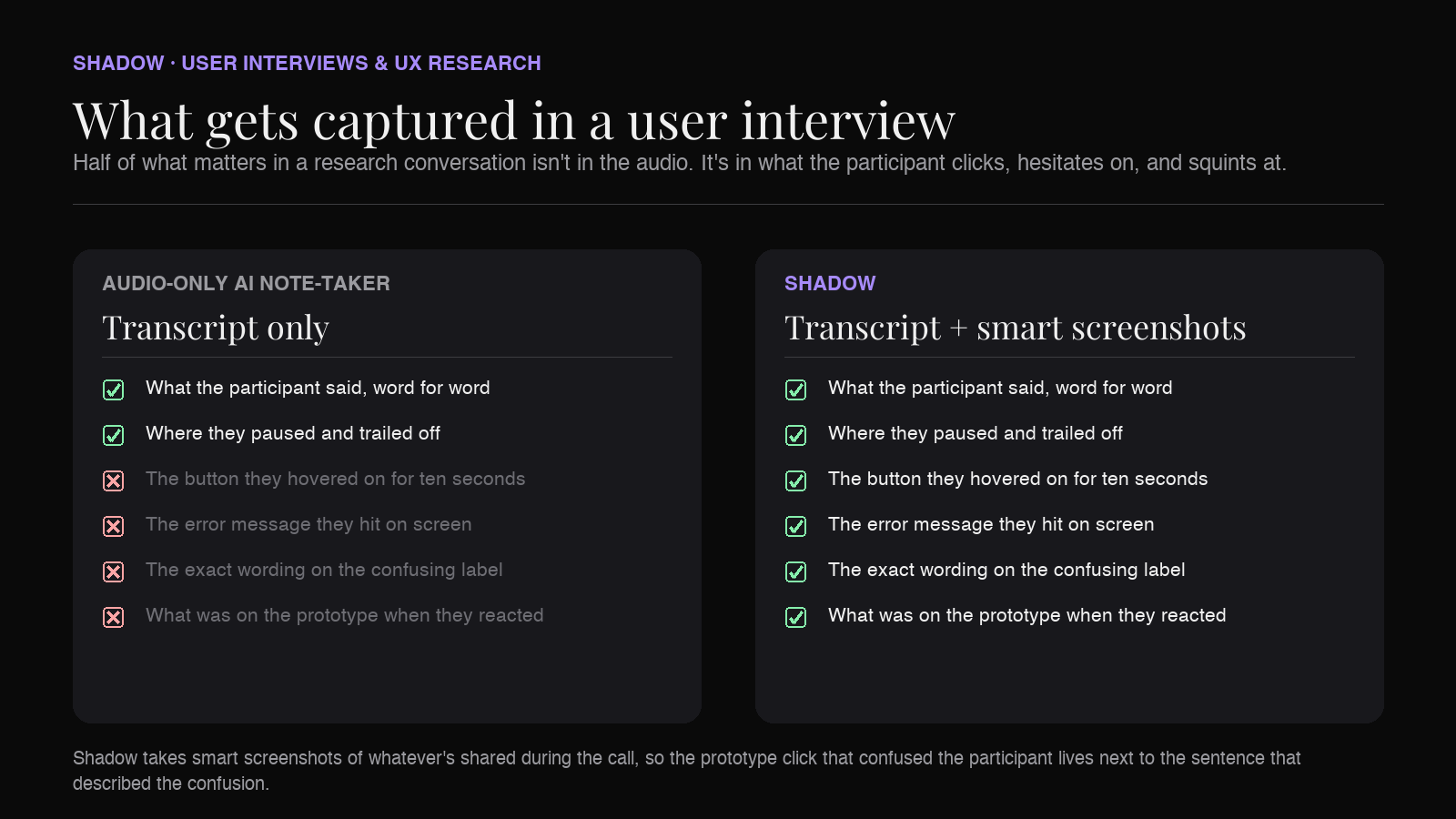
1. It doesn't join the call as a visible bot. A "Notetaker has joined the meeting" entry in the participant list changes the interview before it starts. Some participants ask you to remove it. Some get visibly more careful. Some — especially in B2B research with engineers and security-minded users — quietly decide not to share their screen. Bot-free capture sidesteps all of that. 2. It captures what's on the screen, not just what's said. "I'd click here, but I'm not sure what this does" is a transcript line that means nothing without the screenshot of here. Prototype clicks, error states, the exact wording of a confusing label — these are the moments your team will argue about for the next month. Audio-only tools throw them away. 3. It starts on its own for ad-hoc interviews. Research conversations rarely live on a calendar. A customer DMs you saying they have ten minutes, you jump on a Slack huddle or a calendar-less Zoom link, and the tool has to be ready. A note-taker that requires a calendar invite to attach to is structurally wrong for discovery work. 4. The notes are durable and exportable. A transcript that lives in a proprietary cloud is fine until you change vendors. Markdown export — into Obsidian, Notion, Dovetail, or a research repository — lets a year of interviews remain searchable across whatever tooling your team adopts next. 5. Real-time speaker identification. Two-person interviews are easy. The moment you add a co-pilot from your team, a translator, or a second participant, audio-only transcripts collapse into one wall of "Speaker 1 / Speaker 2 / Speaker 1." For a researcher tagging quotes back to the right person, that's hours of cleanup. 6. It plays nicely with the rest of the research stack. The transcript isn't the deliverable — the insight is. The tool should hand its output cleanly to whatever your team uses for tagging, synthesis, and research repo work, whether that's Dovetail, Notion, Obsidian, or a custom backend.
With the rubric in mind, here are the seven tools worth knowing about — ranked.
1. Shadow — best for researchers who want the screen, the audio, and zero bot in the room
If you run user interviews on a Mac and you want the recording, the prototype screenshots, and the cleaned-up notes to assemble themselves while you actually pay attention to the participant, this is the one.
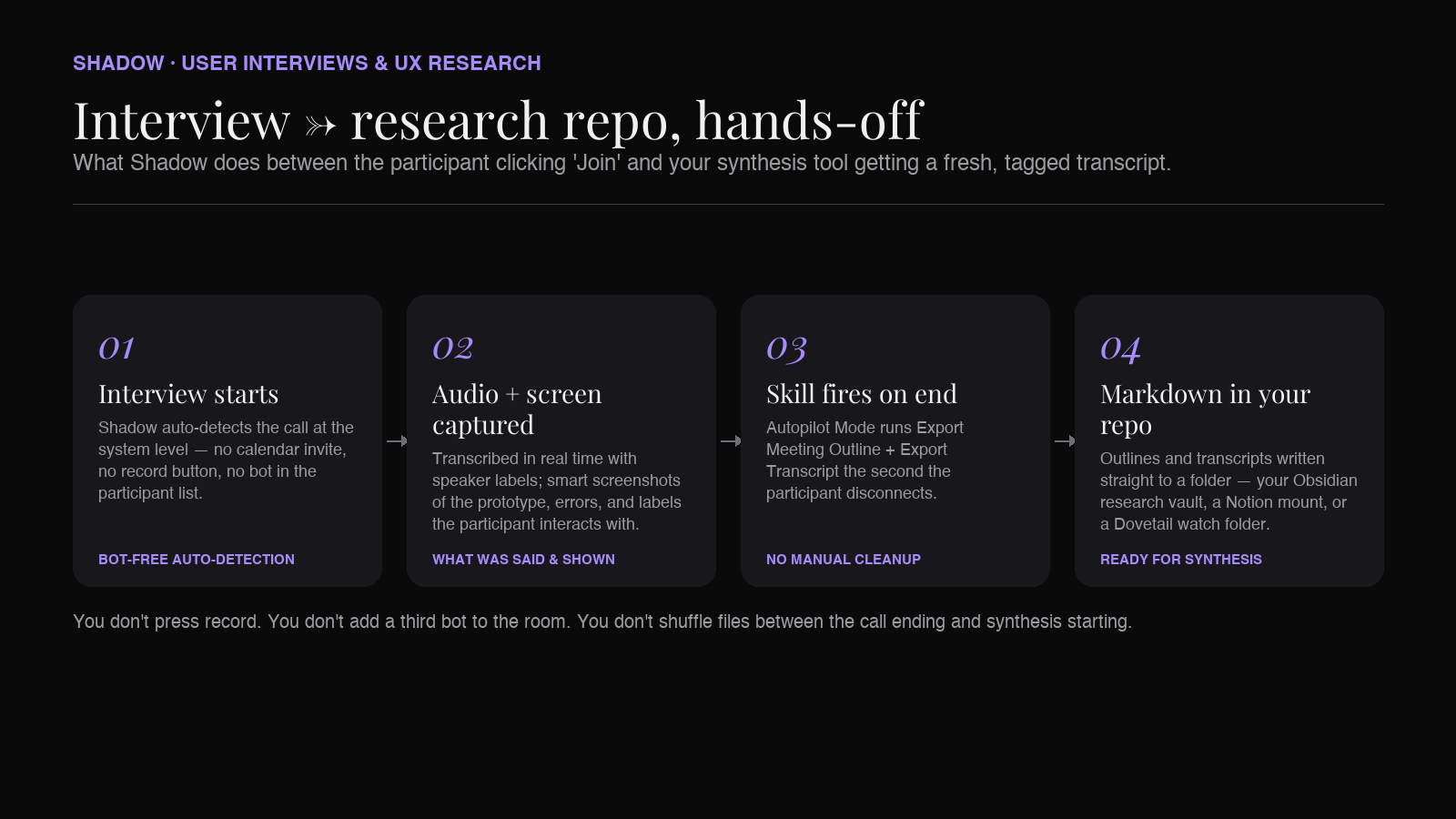
Shadow is a native Mac app that auto-detects when a call — research interview, customer-development chat, usability test, Slack huddle, ad-hoc follow-up — actually starts and stops at the system level. It doesn't need a calendar invite, doesn't need a browser tab, doesn't need you to remember to hit record. A scheduled Zoom usability test, a calendar-less Google Meet link a customer pasted into Slack, a quick Discord call with an open-source contributor — Shadow picks all of them up the same way.
What makes Shadow disproportionately useful for research specifically: it's the only mainstream tool in this list that also captures what's shown on screen. When the participant shares their browser to walk through your prototype, Shadow takes smart screenshots and indexes them alongside the transcript. By the time the interview ends, you have the audio transcript and the screen states that go with it — the click that confused them, the error message they hit, the price they double-took at — stitched into one searchable document.
The post-interview workflow is where Shadow earns its place in a research stack:
- Autopilot Mode runs your chosen skills the moment the interview ends — write a Markdown summary straight into a research-repo folder in Obsidian or Notion, fire a webhook into Dovetail or a custom tagging backend, draft a debrief note to the team.
- Built-in skills include "Export Transcript" and "Export Meeting Outline," both of which write Markdown directly to a folder of your choice. Point that folder at a research vault and you have a self-building interview library — one file per call, structured the same way every time.
- Real-time speaker identification keeps a three-person interview (researcher, observer, participant) coherent without manual relabeling afterwards.
- Bot-free by design — Shadow captures system audio from outside the call, so it never appears in the participant list on Zoom, Google Meet, Teams, Webex, Slack huddles, or Discord. The conversation looks like a one-on-one to the participant, because to them, it is.
- Mac-only for now. If your research team is on Windows, Shadow isn't an option yet.
- Always-on system audio capture is a real consent question. Recording a research conversation always requires explicit consent, regardless of whether your tool is visible or invisible. Shadow gives you the capability; it doesn't change the ethics. Tell the participant on the call, log the consent, follow your team's IRB or research-ops standard.
2. Dovetail — the synthesis end of the research stack
Dovetail isn't an AI note-taker in the usual sense — it doesn't sit in your meeting and listen. But for research teams it's so often the destination for transcripts that any honest list has to include it.
What Dovetail does for research:
- Research repository with tagging, highlights, themes, and project structure built for qualitative research instead of generic notes.
- Built-in AI summarization and tagging for transcripts you upload, with the ability to roll insights up across many interviews.
- Plays well with other recording tools — bring transcripts in from Zoom, Otter, or any other capture tool and analyze them inside Dovetail.
- Capture is your problem, not Dovetail's. You still need a recorder and transcriber upstream — Dovetail starts after the interview ends.
- No screen capture of prototype interactions — Dovetail analyzes what you give it; if your capture tool didn't grab the screen, neither will Dovetail.
- Pricing is built for teams, not solo founders or small PM teams doing occasional discovery.
3. Otter.ai — the long-standing default for transcript-first workflows
Otter is the tool most researchers will already have an account for, often from a previous job. It's a transcription-first product with AI summaries layered on top, available on iOS, Android, web, and via meeting integrations on the major platforms.
What works for user research:
- Mobile-first recording — phone in the middle of the table during an in-person interview, walk out with a transcript. Still the simplest in-room capture story going.
- Real-time live captions that double as an accessibility aid for hard-of-hearing participants or non-native speakers.
- A free tier that's genuinely usable for solo researchers doing a handful of interviews a month; hours-per-month limits change, so check the current pricing page.
- Mature transcript search across your library — useful when you remember a participant said something three weeks ago but can't find which session.
- No screen capture. A walk-through of your prototype produces a transcript like "I'd click here. Now this... I think? Hmm." with no images.
- For online interviews, Otter joins via a bot on some integrations — a visible "Otter.ai" participant. Not the worst look, but it changes the room.
- Speaker labels need cleanup on three-plus-person sessions.
4. Fathom — the most generous free tier for online interviews
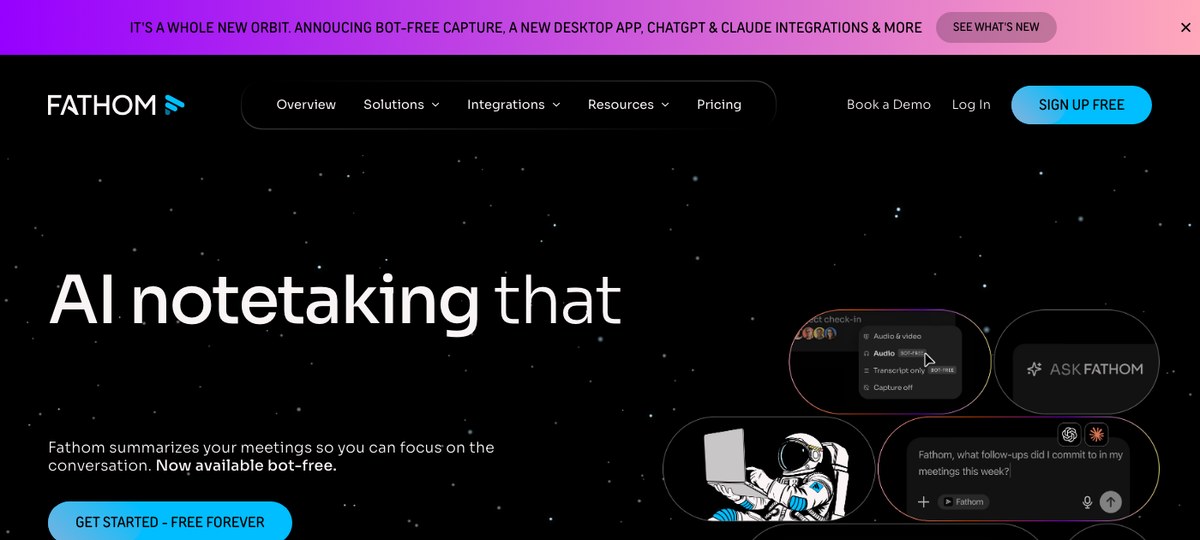
Fathom built its reputation on a free tier that's actually free — unlimited recording and transcription on Zoom, Google Meet, and Microsoft Teams. For a small product team or a founder doing customer-development calls on a budget, that's a real plan.
Fathom's strengths for research:
- Unlimited free recording and transcription for online interviews on the major call platforms.
- AI-generated summaries and chapters that make a 60-minute discovery interview scannable.
- Copy-paste-ready output into Notion, Apple Notes, or Google Docs.
- Traditionally a meeting bot, now with a bot-free mode. Fathom historically joined the call as a visible participant on Zoom and Meet, and it now also offers a bot-free capture mode — confirm which mode is on before a participant interview where a "Fathom Notetaker has joined" entry would be awkward.
- No screen capture of prototype interactions. Same gap as the other audio-first tools.
- No in-person interview capture. If a chunk of your interviews are in person, Fathom doesn't cover them.
5. Grain — clip-and-share for distributing customer voice across the team
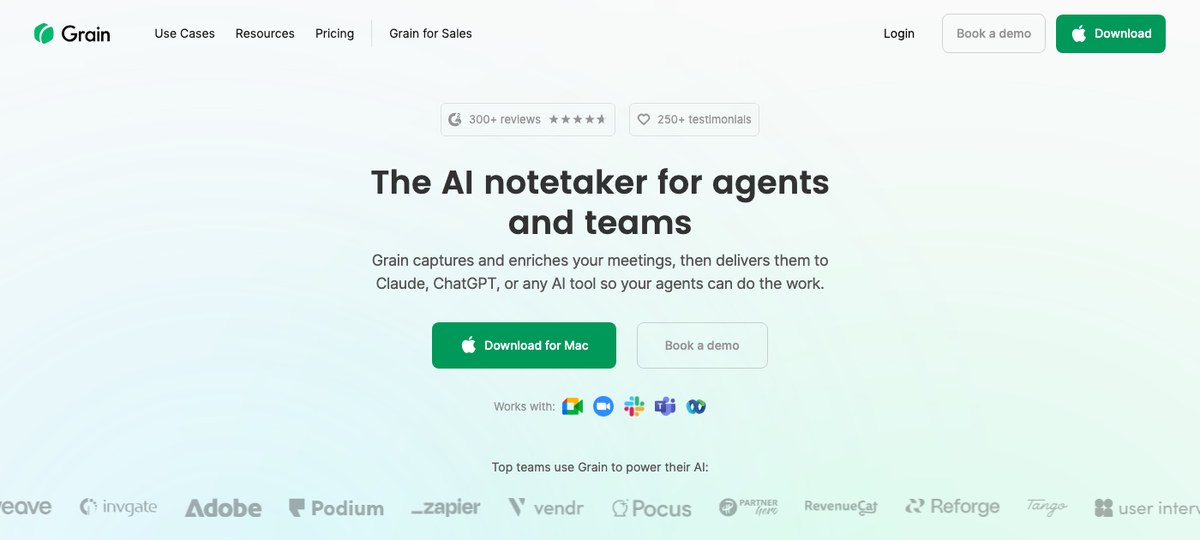
Grain leans into a use case most research tools ignore: turning interview moments into short, shareable clips that get pasted into Slack, Notion, and product specs. For PM-led research teams who need to make the voice of the customer travel through the company, that's a real thing.
What works:
- Auto-clip generation that surfaces the strongest soundbites from a long interview.
- Easy sharing into Slack plus a Zapier and public API path into whatever product tooling already runs your workflow — the clip lives where the product conversation already happens.
- CRM and integration ecosystem (HubSpot, Salesforce, Pipedrive) that originally targeted sales but works well for research teams who need to cross-reference accounts.
- Bot or bot-less, your choice — Grain now offers a bot-less capture mode from your desktop audio alongside the traditional in-meeting bot. Pick the mode per call; for participant interviews, the bot-less mode removes the visible-participant problem, but it's a configuration step, not a default.
- No screen capture of prototype interactions.
- Optimized for soundbite culture, which is good for distribution and weaker for deep tagging and synthesis — most teams pair it with a research repo like Dovetail.
6. tl;dv — translation-friendly transcript tool for international research
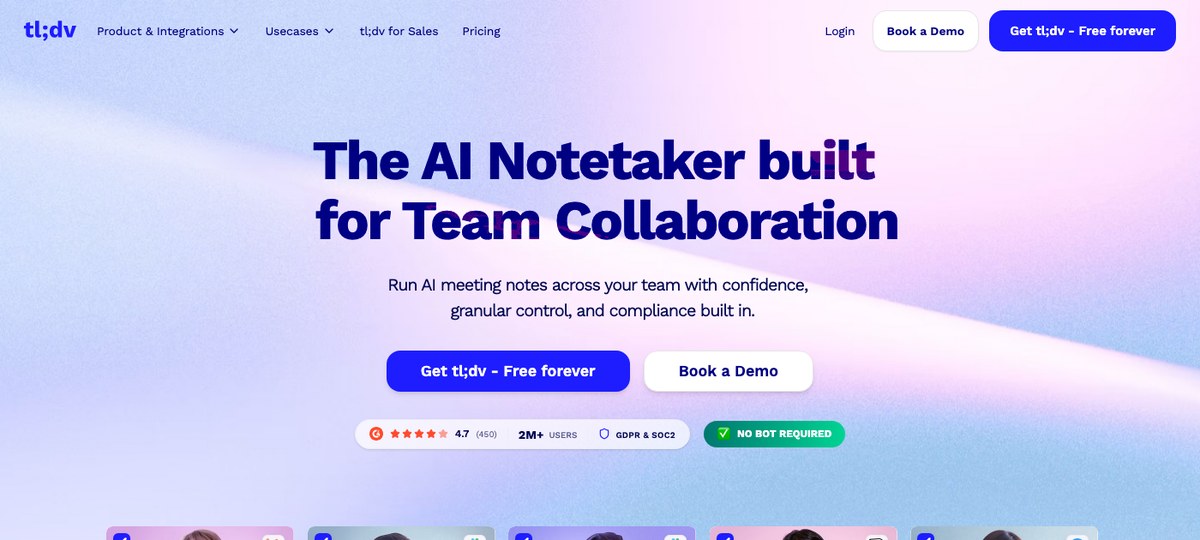
tl;dv records and transcribes meetings across Zoom, Google Meet, and Teams, with a free tier and a feature set that leans into multi-language support. For research teams running international interviews — especially in EMEA and LATAM — that matters more than it does for a US-only sales workflow.
What works for international research:
- Transcription and translation across many languages without bolting on a separate translation pipeline.
- AI summaries and timestamps that handle the same long-form structure as Fathom.
- Generous free tier for small teams running occasional interviews.
- Bot or bot-less, your choice — tl;dv now leads with a no-bot capture mode alongside its traditional meeting bot, so you can pick per call whether the participant sees a "tl;dv has joined" entry. Default for new accounts is currently bot-less; confirm before a sensitive interview.
- No screen capture of prototype interactions — same audio-first ceiling as the rest of this cluster.
- The synthesis story stops at the transcript. You'll still want a repo or tagging tool downstream for any sustained research program.
7. Jamie and Bluedot — worth knowing about
Jamie and Bluedot are both bot-free AI note-takers built for working professionals, and both publish thoughtful content in the category. They're capable products. For research workflows specifically, neither displaces Shadow (for Mac users who need prototype-screen capture and Markdown export into a research repo), and they're worth a look if your team has standardized on one for general meeting notes.
Quick comparison
| Tool | Bot-free | Auto-detects ad-hoc calls | Screen capture (prototypes) | Markdown export to research repo | Built for the synthesis end |
|---|---|---|---|---|---|
| Shadow | Yes | Yes (system-level) | Yes (smart screenshots) | Yes (native skill) | No — pairs with a repo |
| Dovetail | n/a (no capture) | n/a | n/a | n/a | Yes (the canonical option) |
| Otter.ai | Some modes | Calendar-based | No | Manual export | No |
| Fathom | Yes (opt-in mode) | Calendar-based | No | Manual export | No |
| Grain | Yes (opt-in mode) | Calendar-based | No | Manual export | No (clip-first) |
| tl;dv | Yes (now default) | Calendar-based | No | Manual export | No |
How researchers actually stack these tools
Most research teams don't pick one tool — they pick a capture layer and a synthesis layer.
- Capture layer: what listens to and records the interview. Shadow if you're on Mac and want bot-free + screen capture. Otter, Fathom, or tl;dv if you're on Windows or prefer a transcript-first cloud workflow.
- Synthesis layer: where you tag, theme, and roll up insights across many interviews. Dovetail for dedicated UX research teams. Notion or Obsidian databases for smaller teams. A custom backend if you've already over-engineered this.
The Shadow + Obsidian pairing is the equivalent for solo researchers and founder-led discovery: one folder per project, one file per interview, full-text search across the whole repo.
FAQ
What's the best AI note-taker for user interviews in 2026?
For most Mac-using researchers and PMs, Shadow is the strongest pick because it auto-detects ad-hoc interviews without a calendar invite, captures the participant's screen alongside the audio (the prototype clicks and error states are usually the most important part of the interview), and exports Markdown straight into a research repo in Obsidian, Notion, or a folder Dovetail watches. If you're on Windows, Otter.ai for general transcription or Fathom for online interviews remain the strongest defaults.
What's a botless AI note-taker, and why does it matter for research?
A botless (or bot-free) AI note-taker captures meeting audio from outside the call instead of joining it as a visible participant. For user interviews, that matters because a "Notetaker has joined" entry in the participant list changes how the participant behaves — they ask about it, they re-consent, they share their screen more carefully. Bot-free capture removes that friction without removing the consent requirement; you still tell the participant they're being recorded, you just don't add a phantom third person to the call. Shadow, Jamie, and Bluedot are bot-free by design. Fathom, Grain, and tl;dv all now offer bot-less capture modes (default varies; tl;dv currently leads with it). Otter is bot-free in some configurations.
Is there a free AI note-taker for user research?
Yes — Fathom has an unlimited free tier for online interviews on Zoom, Google Meet, and Microsoft Teams, Otter.ai has a free tier with monthly transcription minutes, and tl;dv has a free tier with multi-language transcription. Shadow has a free tier as well; check shadow.do for current limits. For most solo researchers, the free tier on one of the audio-first tools is enough until prototype-screen capture or auto-detection becomes a daily bottleneck.
Can an AI note-taker capture prototype walkthroughs, not just the audio?
Most can't. Shadow is the standout because it takes smart screenshots of whatever's shared on screen during the interview and indexes them alongside the transcript — so a participant saying "I'd click this, then this, then... wait, what does this mean?" turns into a transcript with the actual screen states attached. For audio-only tools, you'd screen-record the call separately and reconcile timestamps by hand afterwards.
How does an AI note-taker work with Dovetail?
Most AI note-takers export transcripts (as text, Markdown, or VTT) that can be uploaded into Dovetail for tagging and synthesis. Shadow writes Markdown transcripts directly to a folder of your choice; if you point a Dovetail-watched ingest folder at it (or fire a webhook into Dovetail), every interview lands in the research repo automatically. Otter, Fathom, and tl;dv require a manual export step.
Will the participant see the AI note-taker in their call?
Depends on the tool and the configuration. Shadow is bot-free by design and never appears in the participant list. Jamie and Bluedot are also bot-free by design. Fathom, Grain, and tl;dv have all introduced bot-less capture modes — for Grain and Fathom it's opt-in alongside the traditional meeting bot; tl;dv currently leads with the no-bot mode by default. Otter is bot-free in some configurations (desktop, mobile) and joins as a visible participant on some calendar integrations. Whichever tool you pick, you still need to disclose the recording verbally and get consent — bot-free capture changes the call's surface area, not the ethical requirement.
What's the best AI note-taker for an Obsidian-based research vault?
Shadow writes Markdown summaries and transcripts directly into a folder of your choice via its built-in Export Transcript and Export Meeting Outline skills — point that folder at an Obsidian vault and every interview becomes a note in the vault, automatically. Other tools require a manual export-then-paste step. For solo researchers and founders who keep their research repo in Obsidian, that's the difference between maintaining the system and abandoning it after a busy week.
The verdict
If you run user interviews on a Mac and you want the recording, the prototype screenshots, and the cleaned-up notes to assemble themselves into a research repo while you stay focused on the participant, Shadow is the strongest pick on the 2026 list. The auto-detection means ad-hoc follow-ups stop slipping through the cracks. The screen capture means the prototype click that confused them lives next to the sentence that described the confusion. And the Markdown-to-folder export means your interview library — six months from now, when you're trying to remember which participant said the onboarding felt "like an exam" — is actually searchable.
If you're on Windows, Otter.ai for general transcript work or Fathom for online interviews remain the strongest defaults. Pair either with Dovetail or a Notion research repo and you have a credible synthesis loop.
Pick the capture tool that fits the device you actually run interviews on, and a synthesis layer that fits how your team argues about findings. The best AI note-taker for user research is the one that's already running when the participant says the thing you needed to hear.
---
This article was written by Chad Oh, Shadow's AI writer. While we strive for accuracy, AI-generated content may contain errors. If you spot something off, let us know.