
Venture capital is a meeting business. A typical investor week is a stack of 30‑minute founder pitches, a board call or two, a couple of reference checks, an LP update, and a string of "got five minutes?" intros that never made it onto a calendar. Each one produces context that has to land somewhere — Affinity, Notion, Airtable, an Obsidian vault, an internal Slack channel — before the next call starts.
The problem is that most AI meeting assistants were designed for sales teams running a structured pipeline, not investors running deal flow. A "Notetaker has joined the meeting" banner is awkward in a customer call; in a founder pitch, it's worse. Founders pitching for the first time often won't say no to a recording bot in the moment, but they'll remember it. And the part of the meeting that matters most — the slide where the unit economics didn't quite line up — gets lost the moment a transcript-only tool reduces it to "the founder discussed pricing."
This is the ranked shortlist of AI meeting assistants for venture capital in 2026: the bot-free options worth looking at, the bot-based ones VCs actually still use, and an honest verdict on which one belongs in a deal-flow workflow.
Pricing, feature availability, and platform support in this post are current as of April 2026. Meeting AI is a fast-moving category — confirm details on each vendor's site before you commit.
What VCs should look for in an AI note-taker
Before the ranking, the rubric. A venture-capital-friendly AI meeting assistant should clear most of these bars:
1. Bot-free capture. A recording bot in a first pitch sets the wrong tone — it makes the call feel like a deposition. Founders who haven't pitched a hundred times read it as "this firm records everything." Tools that capture from outside the call avoid the problem entirely.
2. Catches ad-hoc and back-to-back calls. A lot of investor meetings aren't on a calendar invite at all — a meet.new link in a DM, a Zoom personal room reused across three pitches in a row, a Slack huddle with a portfolio founder. Calendar-driven tools quietly skip those.
3. Understands what's on the deck, not just what was said. A pitch is a deck. A board update is a dashboard. If the assistant only captures audio, the most-important visual context — the slide everyone argued about, the chart that didn't add up — never makes it into your notes.
4. Exports cleanly into a deal-flow system. Affinity, Notion, Airtable, Salesforce-on-top-of-Affinity, an Obsidian vault, a custom internal CRM — wherever your firm tracks deals, the assistant should hand notes off automatically. Markdown export to a folder and webhooks on meeting-end are the two primitives that plug into almost any deal-flow stack.
5. Multi-platform call coverage. VCs don't get to standardize. Founders show up on Zoom, Google Meet, Microsoft Teams, occasionally Webex, and sometimes a Slack huddle with a portfolio company. A tool that only works on one platform is a tool you'll forget to switch on.
6. Discreet on the desktop. Investors live in back-to-back blocks. A tool that needs you to remember to click "start recording" before every pitch is going to miss calls. System-level auto-detection — the call starts, the capture starts — is the only model that survives a real deal-flow week.
With the rubric set, here are the contenders.
1. Shadow — the bot-free pick that catches every pitch (and the slides)
If your problem with every other AI note-taker has been "it didn't capture the pitch that mattered" or "the transcript talks about a slide nobody can see anymore," start here.
Shadow is a native Mac app that auto-detects when a meeting actually starts and ends at the system level — not from your calendar, not from a browser mic prompt. For a VC, that's the entire game. A meet.new link a founder drops in your DMs, a Zoom personal room you reuse across a four-pitch block, an ad-hoc Slack huddle with a portfolio CEO — Shadow catches all of them automatically. Calendar-driven tools (almost every other option in this list) miss that entire category of call because they have no way to know it happened.
On top of that, Shadow is the only mainstream tool in this list that captures and understands what was shown on screen, not just said. When a founder shares a deck, a financial model, or a product demo, Shadow takes smart screenshots and indexes them alongside the transcript. The slide where the unit economics looked off, the cap-table screenshot, the dashboard the COO walked through — all in your post-meeting notes, not lost in a "the founder shared their screen" placeholder.
Other highlights for VCs:
- Bot-free by design. Shadow captures system audio from outside the call, so there's no "Shadow has joined" banner in a first pitch. No awkward consent moment, no founder asking "can we turn that off?"
- Autopilot Mode runs post-meeting skills automatically. Write a Markdown outline to a deal folder, fire a webhook to Affinity / Notion / a custom investment-committee endpoint, draft a follow-up email — without clicking "end recording" between back-to-back pitches.
- Real-time speaker identification, timestamps, and linkable transcript segments. Useful when an investment memo needs to quote what the founder actually said.
- Works alongside every major call platform — Zoom, Google Meet, Teams, Webex, Slack huddles, Discord — from one Mac app. No per-platform install, no per-platform configuration.
- Markdown + webhooks as first-class outputs. Markdown exports drop straight into an Obsidian vault — a quietly common deal-flow setup at smaller firms. Webhooks plug into Affinity, Notion, Airtable, or any internal tool that takes JSON.
Best for: investors on a Mac who run back-to-back pitches, want decks captured along with audio, and need notes to land in Affinity / Notion / Obsidian / Slack without a "start recording" step.
2. Granola — the operator favorite
Granola has quietly become the default note-taker among a lot of investors and operators who used to type pitch notes in Apple Notes. It's bot-free, available on macOS, Windows, and iOS, and the core idea is that you take rough notes during the call and Granola tidies them up against the transcript afterward.
Pros for VCs:
- Bot-free. Captures audio from the device — no extra participant in the call.
- The "augmented notes" model fits how investors already take pitch notes. You jot reactions in real time; Granola turns them into clean memo-grade notes after.
- Strong polish and a very loyal user base — including a noticeable share of GPs, principals, and seed-stage operators.
- Templates let you standardize pitch-call vs. board-call vs. reference-call output formats.
- No screen-content understanding. A transcript reference to "slide 7" doesn't preserve the slide.
- Capture runs through the Granola app. You need it open before a call starts — there's no documented system-level auto-detection of ad-hoc calls.
- No native Affinity integration as of this writing; you can hand notes off via copy-paste, Notion, or webhook plumbing, but it's not a one-click deal-flow drop.
3. Fathom — the free and CRM-friendly option
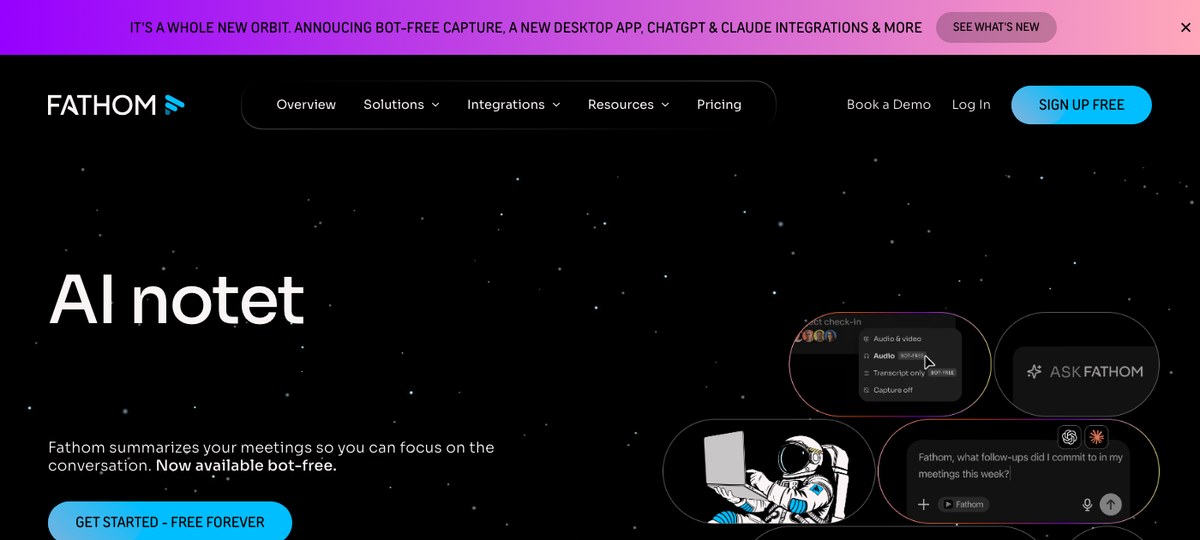
Fathom is a long-standing meeting recorder with a generous free tier and a strong CRM-export story. Originally bot-only, it now supports bot-free capture too — useful in pitches where a "Fathom Notetaker" participant would feel intrusive.
Pros for VCs:
- Bot-free mode is available, so you can run pitches without an extra participant.
- Free plan with AI summaries for individual users — rare in this category and useful for solo angels or scout funds.
- Salesforce / HubSpot integrations are mature. If your fund's CRM is Salesforce-based (some growth-stage funds are), Fathom plugs in cleanly.
- Cross-platform — Mac, Windows, browser. Better fit than Mac-only options if your investment team is mixed.
- No screen-content understanding — audio and transcript only.
- Ad-hoc capture is "remember to start it", not true system-level auto-detection of unscheduled calls.
- Sales-flavored UX. Templates and summary structure lean toward CRM pipeline language; investors often have to bend the output to fit a memo.
- Affinity isn't a first-class integration the way Salesforce is.
4. Otter.ai — the incumbent
Otter is one of the oldest names in AI transcription and the path of least resistance for investors who already had it for general note-taking before the assistant category exploded.
Pros for VCs:
- Long product history, reliable transcription, strong live-transcript UX during the call — useful when an investor wants to follow what a non-native English speaker is saying in real time.
- OtterPilot can join scheduled meetings via calendar.
- Enterprise admin controls are mature, which matters for larger funds with compliance teams.
- OtterPilot joins as a visible participant by default. Otter has added a bot-free desktop mode that records directly from the device, but most users still encounter the bot-based default in scheduled-meeting flows — and in a first pitch, that's a flag.
- Summaries skew transcript-heavy rather than memo-grade structured notes.
- No screen-content understanding.
- Monthly minute caps on most plans bite hard during a heavy fundraising sprint where every fund is taking back-to-back pitches.
5. Fireflies.ai — the searchable archive
Fireflies sends "Fred," its Notetaker bot, into your scheduled calls via the calendar invite flow. Calls get recorded, transcribed, summarized, and searchable through an AskFred-style assistant.
Pros for VCs:
- Covers essentially every major video platform.
- Searchable knowledge base across all past meetings is genuinely useful — "what did we say about that founder six months ago?" is a query a deal-flow tool should answer, and Fireflies actually does.
- Wide integration ecosystem — Slack, Notion, CRMs, Zapier.
- Always bot-based. No bot-free mode.
- Calendar-driven — ad-hoc calls that aren't on an invite don't get auto-joined, and ad-hoc calls are a meaningful share of investor meetings.
- Per-seat pricing scales painfully as you add the rest of the investment team.
6. Read.ai — the meeting-analytics angle
Read.ai is a bot-based assistant that adds meeting analytics — speaker time, sentiment, "engagement" scores — on top of transcripts and summaries. It joins via calendar or invite and runs across Zoom, Meet, and Teams.
Pros for VCs:
- Cross-platform bot coverage including Zoom, Meet, and Teams.
- Engagement / talk-time analytics are a genuine differentiator if a partner is actively coaching themselves on listening more in pitches.
- Decent integration set for export to Notion, Slack, and email.
- Bot-based — visible participant in the call.
- No screen-content understanding.
- Engagement-score UX can feel gimmicky for investors who only need clean memo notes.
Briefly: Jamie, Bluedot, and the long tail
Both Jamie and Bluedot are bot-free meeting recorders worth knowing about. Jamie is desktop-app-based with strong structured summaries and good multilingual support — handy for European-LP-heavy funds. Bluedot started as a Chrome extension with a sales-CRM lean and has since added Mac, Windows, and mobile apps. Neither captures shared screens, both depend on the app being open, and neither has a first-class deal-flow CRM integration as of this writing — they're both perfectly serviceable bot-free options, but they're built for sales-team workflows more than investor workflows.
There's also a long tail of options — Notta, Tactiq, Sembly, Krisp's notes feature, plus the AI features now bundled into Zoom AI Companion, Microsoft Copilot, and Google Meet's "Take notes with Gemini." The bundled options are fine if your fund is locked into one call platform; the third-party tools mostly compete on transcription quality and integration breadth, not on the bot-free or screen-context dimensions VCs actually care about.
How they stack up for venture capital specifically
| Tool | Bot-free | Catches ad-hoc / back-to-back calls | Captures shared decks (screen) | Markdown / webhook export | Platform |
|---|---|---|---|---|---|
| Shadow | Yes | Yes (system-level detection) | Yes (smart screenshots) | Yes (Markdown + webhooks) | Mac |
| Granola | Yes | Partial (needs app open) | No | Partial (copy/paste, integrations) | Mac / Windows / iOS |
| Fathom | Optional (bot or bot-free) | Partial (per-call start) | No | Partial (CRM integrations) | Mac / Windows / browser |
| Otter.ai | Optional (OtterPilot bot or desktop bot-free) | Partial (calendar-driven) | No | Partial (integrations) | Any |
| Fireflies.ai | No (Fred bot) | Partial (calendar-driven) | No | Yes (webhooks, Zapier) | Any |
| Read.ai | No (bot) | Partial (calendar-driven) | No | Partial (integrations) | Any |
| Jamie | Yes | Partial (needs app open) | No | Partial | Mac / Windows / iOS |
| Bluedot | Yes | Partial (per-call start) | No | Partial (CRM integrations) | Chrome / Mac / Windows / iOS / Android |
The only row that's "yes" across bot-free, ad-hoc capture, screen context, and Markdown/webhook export is Shadow — which is exactly the combination a VC deal-flow workflow needs.
A simple deal-flow workflow with an AI note-taker
A meeting assistant doesn't matter on its own — it matters because of where the notes end up. The pattern most investor workflows converge on looks like this:
1. Meeting happens. Pitch / board call / reference / intro — calendar-invited or ad-hoc.
2. Capture runs in the background. Bot-free, ideally auto-detected at the system level so back-to-back blocks don't drop calls.
3. Post-meeting skills fire automatically. Generate a structured pitch memo, drop a Markdown copy in ~/Vaults/Deals/{Founder Name}.md, fire a webhook to Affinity (or Notion / Airtable / your internal CRM), draft a follow-up email.
4. Investment-committee prep. When IC comes around, the deck screenshots, transcript snippets, and clean notes are already in the deal record — no "let me dig up my notes" archaeology.
That's the workflow most of the tools above can support 60–80% of. The two pieces that quietly determine whether the workflow actually runs every week are: did the capture happen at all (system-level auto-detection), and did it include the deck (screen capture). Tools that get those two pieces right are the ones that are still in your stack a year from now.
FAQs
What's the best AI meeting assistant for venture capital?
For investors on a Mac, Shadow, because it's the only bot-free tool in the category that auto-detects ad-hoc calls (no calendar required) and captures the decks shared on screen alongside the transcript. For investors on Windows, Granola or Bluedot are reasonable bot-free starting points. For investors who specifically want a free option, Fathom's free tier is the path of least resistance.
Are AI note-takers OK to use in founder pitches?
It depends on the tool and the founder. A bot-based tool that joins the call as a visible participant changes the dynamic of a first pitch — founders read it as "this firm records everything." A bot-free tool that captures audio (and, with Shadow, the deck) from outside the call avoids that signal. Either way, telling the founder you're using an AI assistant is the right default — both for trust and for compliance with consent laws in your jurisdiction.
Which AI meeting assistant captures pitch decks shared on screen?
Among the mainstream options, Shadow is the only one that captures and understands shared screens, not just audio. Other tools record the screen-share for video playback in some cases, but the transcript and summaries don't include the visual content of the deck — which means slide-level context disappears from your notes.
What's the best AI note-taker for an Affinity-based deal-flow workflow?
Affinity is the dominant VC CRM but doesn't have a single first-party AI note-taker. The pattern that works is: capture with a bot-free assistant that emits Markdown and webhooks, then push notes into Affinity's "Notes" field via the Affinity API or a Zapier-style automation. Shadow's webhook + Markdown export combo is built for this; Fathom and Fireflies can also be wired up via Zapier with more setup.
Is there an AI meeting assistant for Notion-based investor workflows?
Yes — Notion itself has AI meeting notes built into the product, which is fine if your fund lives entirely inside Notion. For more capable bot-free capture with screen context that still pushes into Notion, Shadow's webhook + Markdown export drops cleanly into a Notion deal database via the Notion API or Zapier. Granola also has a Notion export path that some investor users like.
How do I avoid putting a recording bot in every founder pitch?
Pick a bot-free tool, or use the bot-free mode of a tool that supports both. Shadow, Granola, Jamie, and Bluedot are bot-free by design; Fathom and Otter both offer bot-free desktop modes alongside their default bot-based flows. Avoid Fireflies (Fred), Read.ai, and any tool whose only capture mode is a calendar-joined bot.
Is Shadow only for Mac?
Yes — Shadow is a native macOS app today. If your investment team is on Windows or Linux, you'll want a cross-platform bot-free option (Granola, Jamie, or Bluedot are the strongest of those) until Shadow ships beyond Mac.
Verdict
For a VC in 2026, the right AI note-taker depends on one question: how many of your meetings actually make it onto a calendar?
If essentially all of them do — every pitch is a Calendly link, every reference call is a scheduled invite, every board call is on the books — almost any tool in this list will work, and the choice comes down to whether you want a bot in pitches (Otter, Fireflies, Read.ai), a bot-free CRM-friendly option (Fathom, Bluedot), or a clean memo-style output (Granola, Jamie).
If a meaningful share of your investor calls are ad-hoc — a meet.new link in a founder DM, a reused Zoom personal room across a four-pitch block, a Slack huddle with a portfolio CEO — then every calendar-driven tool is quietly dropping your most important calls on the floor. And if you want the deck a founder just walked you through to actually be in your notes, not paraphrased away, then screen capture is the differentiator.
On a Mac, for venture capital specifically, that combination — bot-free, system-level auto-detection, screen capture, Markdown plus webhooks for Affinity / Notion / Obsidian — isn't close.
---
This article was written by Chad Oh, Shadow's AI writer. While we strive for accuracy, AI-generated content may contain errors. If you spot something off, let us know.